<?xml version="1.0" encoding="utf-8"?>
<feed xmlns="http://www.w3.org/2005/Atom" xml:lang="en">
  <title>Posts tagged with “Ansible” on Mark van Lent’s weblog</title>
  <updated>2026-01-31T00:00:00+00:00</updated>
  <link rel="self" type="application/atom+xml" href="https://markvanlent.dev/tags/ansible/index.xml" hreflang="en"/>
  <id>tag:markvanlent.dev,2010-04-02:/tags/ansible/index.xml</id>
  <link rel="alternate" type="text/html" href="https://markvanlent.dev/tags/ansible/" hreflang="en"/>
  <author>
      <name>Mark van Lent</name>
      <uri>https://markvanlent.dev/about/</uri>
    </author>
  <rights>Copyright (c) Mark van Lent, Creative Commons Attribution 4.0 International License.</rights>
  <icon>https://markvanlent.dev/favicon.ico</icon>
  <entry>
    <title type="html"><![CDATA[FOSDEM 2026]]></title>
    <link rel="alternate" href="https://markvanlent.dev/2026/01/31/fosdem-2026/" type="text/html" />
    <id>https://markvanlent.dev/2026/01/31/fosdem-2026/</id>
    <author>
      <name>map[name:Mark van Lent uri:https://markvanlent.dev/about/]</name>
    </author>
    <category term="ansible" />
    <category term="conference" />
    <category term="docker" />
    <category term="infrastructure as code" />
    <category term="git" />
    <category term="python" />
    <category term="security" />
    
    <updated>2026-02-01T14:54:22Z</updated>
    <published>2026-01-31T00:00:00Z</published>
    <content type="html"><![CDATA[<p>January is already almost over, so time for <a href="https://fosdem.org/2026/">FOSDEM</a>,
the yearly <q>free event for software developers to meet, share ideas and
collaborate</q> in Brussels. <a href="/2025/02/01/fosdem-2025/">Last year</a> I
focussed on the Go track, this year I selected a mix of security and Python
related talks to attend.</p>
<h2 id="streamlining-signed-artifacts-in-container-ecosystems--tonis-tiigi">Streamlining Signed Artifacts in Container Ecosystems &mdash; Tonis Tiigi</h2>
<p>It&rsquo;s possible to sign Docker images, but at the moment most are actually not
signed. Also, users should understand what the signature is protecting and what
it&rsquo;s <em>not</em> protecting. We should not want signing just to tick a box on the
security checlist, but because of the security it adds. And we need something
simple: integrated with existing tools, should not slow down tools.</p>
<p>Buildkit powers &ldquo;<code>docker build</code>&rdquo; but is not limited to Dockerfiles. It&rsquo;s high
performance, can build complex builds and has caching.</p>
<p>A modern build is a graph of images, Git repositories, local files, etc. The
results are images, binaries, archives.</p>
<figure><img src="/images/fosdem2026_tonis_tiigi.jpg"
    alt="Photo of Tonis Tiigi explaining the graph that is modern software building"><figcaption>
      <p>Tonis Tiigi explaining that builds of modern software are a complex graph</p>
    </figcaption>
</figure>

<p>We need Supply-chain Levels for Software Artifacts (SLSA) provenance: what has
actually happened in the build? What was the build config? Et cetera. It&rsquo;s useful to
figure out how an artifact was built.</p>
<p>Buildkit does not sign images by default. GitHub has <a href="https://docs.github.com/en/packages/managing-github-packages-using-github-actions-workflows/publishing-and-installing-a-package-with-github-actions#publishing-a-package-using-an-action">an example in the
documentation</a>
to run a build with Buildkit and generate an artifact. It claims to generate an
<q>unforgeable statement</q>. But if your GitHub credentials are
leaked and the attacker can get your hands on the temporary signing key, they can
use it to sign their own artifacts.</p>
<p>Docker created the <a href="https://github.com/docker/github-builder">github-builder</a>
repository. It contains reusable GitHub Actions to securely build images. If you
use this, your images are signed to prove that they were built from a certain
repository, using the configured build steps. Where Buildkit (among other
things) provides isolation, <code>github-builder</code> provides signing context. It also
protects against build dependency leaks.</p>
<p>So that takes care of the signatures, but how do you verify them?</p>
<ul>
<li>The command &ldquo;<code>docker inspect</code>&rdquo; now shows verified signatures</li>
<li>You can manually verify it with <a href="https://github.com/sigstore/cosign">cosign</a></li>
<li>You can also use sigstore/policy-controller for Kubernetes</li>
</ul>
<p>Buildx also includes experimental Rego (Open Policy Agent) policy support. This
means you can write a matching policy for <code>Dockerfile</code>, e.g. <code>Dockerfile.rego</code>,
which is then automatically loaded. All build sources now need to pass policy
for the build to continue (images, Git repositories, URLs, etc).</p>
<p>You can do very complex stuff in the policies. As simple example Tonis showed:</p>
<div class="highlight"><pre tabindex="0" class="chroma"><code class="language-rego" data-lang="rego"><span class="line"><span class="cl"><span class="kd">package</span><span class="w"> </span><span class="nx">docker</span><span class="w">
</span></span></span><span class="line"><span class="cl"><span class="w">
</span></span></span><span class="line"><span class="cl"><span class="w"></span><span class="n">allow</span><span class="w"> </span><span class="kd">if</span><span class="w"> </span><span class="p">{</span><span class="w">
</span></span></span><span class="line"><span class="cl"><span class="w">  </span><span class="nx">input</span><span class="o">.</span><span class="nx">image</span><span class="o">.</span><span class="nx">repo</span><span class="w"> </span><span class="o">=</span><span class="w"> </span><span class="s2">&#34;org/app&#34;</span><span class="w">
</span></span></span><span class="line"><span class="cl"><span class="w">  </span><span class="nf">docker_github_builder_tag</span><span class="p">(</span><span class="nx">input</span><span class="o">.</span><span class="nx">image</span><span class="o">,</span><span class="w"> </span><span class="s2">&#34;org/app&#34;</span><span class="o">,</span><span class="w"> </span><span class="nx">input</span><span class="o">.</span><span class="nx">image</span><span class="o">.</span><span class="nx">tag</span><span class="p">)</span><span class="w">
</span></span></span><span class="line"><span class="cl"><span class="w"></span><span class="p">}</span><span class="w">
</span></span></span></code></pre></div><p>This policy should make sure that the image can only be built from this
repository and that the image tag should match the Git tag.</p>
<p>Summary:</p>
<ul>
<li>No reason not to sign</li>
<li>Not all signatures are equal</li>
<li>Software pulling packages should verify pulled content</li>
</ul>
<p><a href="https://fosdem.org/2026/schedule/event/HJAJTU-streamlining_signed_artifacts_in_container_ecosystems/">Link to the conference page</a></p>
<h2 id="sequoia-git-making-signed-commits-matter--neal-h-walfield">Sequoia git: Making Signed Commits Matter &mdash; Neal H. Walfield</h2>
<p>Version control systems (also known as VCSs) track the following:</p>
<ul>
<li>Changes to the code</li>
<li>Authorship</li>
<li>Other metadata</li>
<li>Commit message</li>
</ul>
<p>But the author can be faked: the metadata is set by the author, including the
author&rsquo;s name. After a quick &ldquo;<code>git config</code>&rdquo; command you can commit as anyone you
want, for example <a href="https://en.wikipedia.org/wiki/Linus_Torvalds">Linus Torvalds</a>.
Sure, GitHub could see that the committer (the one pushing the commit) and
author are different. However, this is not necessarily bad because we might
simply want to give proper attribution to the author of the commit.</p>
<p>And in theory the forge might also be compromised, or someone may have gotten
permission to push to the project.</p>
<p>To prevent impersonations, we can cryptographically prove who the author is by
signing the commits. But now the problem shifts to the certificates. Because
anyone can create a key with any name (again, for example Linus) attached to it.
So what does a signed commit mean now?</p>
<p>How can we be sure that the author is who they say they are? There are ways:</p>
<ul>
<li>You could talk to developer the verify</li>
<li>You could go to <a href="https://en.wikipedia.org/wiki/Key_signing_party">key signing parties</a></li>
<li>You can use a central authority that you trust (e.g.
<a href="https://keys.openpgp.org/">keys.openpgp.org</a>, the Linux developer keyring,
the <code>distributions-gpg-keys</code> package, or, if you trust Github, use
<code>github.com/&lt;username&gt;.gpg</code>)</li>
</ul>
<p>You can use the following command to show the Git log and the signatures on them:</p>
<div class="highlight"><pre tabindex="0" class="chroma"><code class="language-shell" data-lang="shell"><span class="line"><span class="cl">git log --show-signature
</span></span></code></pre></div><p>But now you need to actually check that the signatures are indeed made by the
certificates you trust.</p>
<p>It&rsquo;s up to the maintainers of the software to curate a list of contributors and
track when contributors join and leave (yes, there is a temporal element as
well). This is hard. Maintainer needs tooling. And you would want to detect
unauthorized commits (impersonation, a malicious forge, a machine in the middle
or for instance when project is given to a new maintainer by a forge/registry).</p>
<p>What does the solution look like?</p>
<ul>
<li>Clear semantics</li>
<li>The project itself maintains signing policy</li>
<li>Third party uses maintainers&rsquo; policy to authenticate project</li>
<li>Verification, not attestation: do not rely on any external authority</li>
</ul>
<p>(Note that the maintainers can still be socially engineered to include the key
of an attacker in their policy. So they still have to be careful about who is
added to the policy.)</p>
<p>Sequoia git provides:</p>
<ul>
<li>Specification</li>
<li>Config</li>
<li>Tooling</li>
</ul>
<p>With <a href="https://gitlab.com/sequoia-pgp/sequoia-git">Sequoia git</a> (which part of
the <a href="https://sequoia-pgp.org/">Sequoia PGP project</a>) you can have a signing
policy in an <code>openpgp-policy.toml</code> file in the project&rsquo;s Git repository. It
specifies users, their keys and their capabilities. You can use <code>sg-git</code> to help
maintain this file.</p>
<p>For instance to add user Alice and then describe the current policy, you can use
the following commands:</p>
<div class="highlight"><pre tabindex="0" class="chroma"><code class="language-shell" data-lang="shell"><span class="line"><span class="cl">sq-git policy authorize alice --committer &lt;cert&gt;
</span></span><span class="line"><span class="cl">sq-git policy describe
</span></span></code></pre></div><p>A commit is &ldquo;authenticated&rdquo; if at least one parent commit says the commit is
acceptable (via the policy). To verify that there is an authenticated path from
the current state back to a certain commit we trust, use this command:</p>
<div class="highlight"><pre tabindex="0" class="chroma"><code class="language-shell" data-lang="shell"><span class="line"><span class="cl">sq-git log --trust-root &lt;sha of trusted commit&gt;
</span></span></code></pre></div><p>Projects may have contributions from others that are not included in the policy.
To maintain an authenticated path when accepting the contribution, a trusted
author needs to merge the contribution via a merge commit that <em>is</em>
authenticated. (You may need to use the &ldquo;<code>--no-ff</code>&rdquo; on the merge to make sure
there is a merge commit though.)</p>
<p><a href="https://fosdem.org/2026/schedule/event/KFSUCW-sequoia-git/">Link to the conference page</a></p>
<h2 id="an-endpoint-telemetry-blueprint-for-security-teams--victor-lyuboslavsky">An Endpoint Telemetry Blueprint for Security Teams &mdash; Victor Lyuboslavsky</h2>
<p>With open source we can inspect something that is broken, we can change the
defaults. With security we are used to the opposite; it&rsquo;s a black box. We are
not used to owning the data. The data exists on the endpoints, but ownership is
transferred to a different team. How can we add more security in a way engineers
understand and can use?</p>
<p>Victor presents a blueprint with the following layers:</p>
<ul>
<li>Endpoint agents</li>
<li>Control layer</li>
<li>Ingestion, streaming &amp; storage</li>
<li>Detection</li>
<li>Correlation, intelligence and response</li>
</ul>
<p>The value is not in the layers themselves, but the boundaries. For example, the
ingestion should move the data reliably but should not care which tool collected
it. This makes them loosely coupled.</p>
<p>For endpoint agents Victor suggests
<a href="https://github.com/osquery/osquery">osquery</a> which allows basic questions about
endpoints. Data is structured and consistent. It aligns with open source values.
(Alternatives: scripts &amp; cron, log shippers like filebeat or tools like auditd
or Event Tracing for Windows.)</p>
<p>Controlling the data (the next layer) means that you want to have:</p>
<ul>
<li>Central config</li>
<li>Live queries</li>
<li>Consistent schemas</li>
</ul>
<p><a href="https://github.com/fleetdm/fleet">Fleet</a> (disclaimer: Victor works here) is
built to manage <code>osquery</code> at scale and a good candidate for this layer.</p>
<p>The control layer needs to work hand-in-hand with ingestion layer. The ingestion
layer moves data to downstream system. E.g. <a href="https://github.com/vectordotdev/vector">Vector</a> or
<a href="https://www.elastic.co/logstash">Logstash</a> can be used here.</p>
<blockquote>
<p>Ingestion isn&rsquo;t where you get clever. It&rsquo;s where you get reliable.</p></blockquote>
<p>Streaming decouples users from consumers and e.g. allows replay. Note that this
is an optional step and it would come <em>after</em> ingestion, not <em>in place of</em> it.
For instance <a href="https://kafka.apache.org/">Apache Kafka</a> can be used in this
layer. Ingestion absorbs the mess. Streaming preserves flexibility.</p>
<p>The storage layer is where telemetry becomes durable. It&rsquo;s about being able to
ask hard questions later. Examples of useful tools:
<a href="https://github.com/ClickHouse/ClickHouse">ClickHouse</a>,
<a href="https://www.elastic.co/elasticsearch">Elasticsearch</a> (which is better at text
search) and <a href="https://github.com/apache/iceberg">Iceberg</a> (which is slower for
active investigation).</p>
<p>For the detection layer you might want to use
<a href="https://github.com/SigmaHQ/Sigma">Sigma</a>. It provided portability. Rules are
translated to native SQL running on ClickHouse. Intent (Sigma signatures)
becomes execution (SQL query to get the data).</p>
<p>Finally the correlation layer: <a href="https://github.com/grafana/grafana">Grafana</a>
can be used for correlation and visualisation. Grafana can query ClickHouse.
Grafana also has alerting.</p>
<p>Note that response isn&rsquo;t just about automation. It&rsquo;s also to pause and ask
better questions. The correlation layer should focus on enabling humans to act.</p>
<p>Open endpoint telemetry is <strong>not</strong> an &ldquo;EDR killer&rdquo;. It does not replace it. It adds
diversity and complements other tools. It provides a second set of eyes.</p>
<p><a href="https://fosdem.org/2026/schedule/event/HYXTPH-endpoint-telemetry-blueprint/">Link to the conference page</a></p>
<h2 id="the-bakery-how-pep810-sped-up-my-bread-operations-business--jacob-coffee">The Bakery: How PEP810 sped up my bread operations business &mdash; Jacob Coffee</h2>
<p>Python loads imports eagerly by default. This leads to memory bloat and cold
start issues. Explicit lazy imports (see
<a href="https://peps.python.org/pep-0810/">PEP 810</a>) only import a module when it&rsquo;s
first accessed not when the import statement is executed.</p>
<p>Lazy import is scheduled to be included in Python 3.15 and looks like this:</p>
<div class="highlight"><pre tabindex="0" class="chroma"><code class="language-python" data-lang="python"><span class="line"><span class="cl"><span class="n">lazy</span> <span class="kn">import</span> <span class="nn">foo</span> <span class="kn">from</span> <span class="nn">bar</span>
</span></span></code></pre></div><p>The design principles applied are that lazy imports are:</p>
<ul>
<li>Explicit</li>
<li>Local</li>
<li>Granular</li>
</ul>
<p>When parsing the Python code a proxy module is created. Only when the module is
actually used, the proxy is transparently replaced by the real package. You will
not always see improvements, so do not blindly replace all imports with lazy
imports.</p>
<p>PEP 810 also eliminates the need for <code>TYPE_CHECKING</code> guards. (See the <a href="https://docs.python.org/3/library/typing.html#typing.TYPE_CHECKING">typing
docs</a>, in
short: importing a module that is expensive and only contains types used for
type checking in an &ldquo;<code>if TYPE_CHECKING:</code>&rdquo; block.) It also helps for faster test
discovery and collection, less memory usage, decrease cold start slowness in
e.g. AWS Lambda functions, CLI applications, etc.</p>
<p>Meta (with Cinder) saw a 70% startup time reduction and 40% memory savings.
PySide has a 35% startup improvement.</p>
<p>About CLI tools: when using lazy imports you might notice the difference when
using <code>--help</code>. There&rsquo;s no need to load all dependencies to just output the help
text of a tool.</p>
<p>Some notes:</p>
<ul>
<li>Import time side effects (e.g. logging configuration, DB connections) are also
delayed!</li>
<li>Type checkers need to be updated</li>
<li>Import errors move to first use (so in runtime, not at launch). Keep that in
mind when debugging</li>
<li>It&rsquo;s not always faster, so profile your application before migrating and see
where you can potentially benefit</li>
<li>Document your lazy imports!</li>
<li>You cannot do lazy imports in functions</li>
</ul>
<p>Circular imports are probably still a problem, but they just show up later.</p>
<p><a href="https://github.com/JacobCoffee/breadctl">Link to the repo for this talk</a></p>
<p><a href="https://fosdem.org/2026/schedule/event/HAAABD-the_bakery_how_pep810_sped_up_my_bread_operations_business/">Link to the conference page</a></p>
<h2 id="modern-python-monorepo-with-uv-workspaces-prek-and-shared-libraries--jarek-potiuk">Modern Python monorepo with <code>uv</code>, <code>workspaces</code>, <code>prek</code> and shared libraries &mdash; Jarek Potiuk</h2>
<p>Jarek is, besides his other roles, the number 1 Apache Airflow contributor. The
<a href="https://github.com/apache/airflow">Apache Airflow repo</a> is the monorepo he
talks about today. There is also a series of blog posts about this topic: see
<a href="https://medium.com/apache-airflow/modern-python-monorepo-for-apache-airflow-part-1-1fe84863e1e1">part 1</a>,
which links to the other parts.</p>
<p>Airflow drove early requirements for
<a href="https://docs.astral.sh/uv/concepts/projects/workspaces/">uv workspaces</a>. They now
manage 120+ distributions seamlessly with it. It allows them to combine
distributions to work together in a workspace. Also used to import from one
distribution in another one.</p>
<p>The project shares a single virtual environment used by <code>uv</code> in root of project.
If you run &ldquo;<code>uv sync</code>&rdquo; from the top level you get everything. If you run it in a
subdirectory (e.g. <code>airflow-core</code>) you only get what is needed for that
distribution.</p>
<p>Benefits of the <code>uv</code> workspaces:</p>
<ul>
<li>Isolated</li>
<li>Explicit</li>
<li>Flexible</li>
</ul>
<p><a href="https://hatch.pypa.io/1.12/">Hatch</a> has (or will have, at the time of writing)
largely compatible workspaces.</p>
<p>However <a href="https://pre-commit.com/">pre-commit</a> became a bottleneck. They needed
to run 170+ pre commit hooks <strong>on every commit</strong>.
<a href="https://github.com/j178/prek">Prek</a> is drop-in replacement for pre-commit and
works fantastic. It is optimized for speed and monorepos.</p>
<p>Airflow uses symlinked shares libraries (where a shared lib is also a
distribution). The Hatchling build backend needs to replace links with physical
copies during packaging. They use Prek to maintain consistency.</p>
<p><code>uv sync</code> detects conflicts between merged requirements files and Prek hooks
enforce relative imports in shared code to prevent cross coupling issues (IIRC)</p>
<p><a href="https://fosdem.org/2026/schedule/event/WE7NHM-modern-python-monorepo-apache-airflow/">Link to the conference page</a></p>
<h2 id="pyinfra-because-your-infrastructure-deserves-real-code-in-python-not-yaml-soup--loïc-wowi42-tosser">PyInfra: Because Your Infrastructure Deserves Real Code in Python, Not YAML Soup &mdash; Loïc &ldquo;wowi42&rdquo; Tosser</h2>
<p>Loïc is a Frenchmen (which, as he himself states, means he <strong>must</strong> have
opinions) and not a YAML fan to put it mildly. That is: YAML as a programming
language, e.g. how it is used in <a href="https://github.com/ansible/ansible">Ansible</a>.</p>
<figure><img src="/images/fosdem2026_loic_tosser.jpg"
    alt="Photo of Loïc Tosser showing a complex Ansible task in YAML"><figcaption>
      <p>Loïc Tosser demonstrating what happens when you ask a config file to be a programming language</p>
    </figcaption>
</figure>

<p><a href="https://pyinfra.com/">PyInfra</a> is an infrastructure as code library to write
Python code which is then translated to shell scripts to run on the target
hosts. So, in contrast to Ansible, you do not need Python on the target. The
target machine only needs SSH and a POSIX shell. You can also configure Docker
containers with PyInfra.</p>
<blockquote>
<p>If it has SSH, PyInfra can talk to it.</p></blockquote>
<p>PyInfra has idempotent operations and built-in diff checking. Declarative
infrastructure with actual code and not YAML. You can use inventory from
Terraform, Coolify or any API.</p>
<p>You can leverage the entire Python packaging ecosystem. Slack integration? Just
use the right Python package.</p>
<p>PyInfra is not only a CLI tool, you can also use it as a library.</p>
<p>PyInfra is 10 times faster than Ansible, uses 70% less code, has proper code
reuse via <code>import</code> and proper loops instead of <code>with_items</code>. It can have actual
unit tests and can scale to thousands of servers. Also you no longer have error
messages stating that <q>the error appears to be in &hellip; <strong>but may be
elsewhere in the file</strong> &hellip;</q> (looking at you Ansible). PyInfra has
clear error messages without having to specify <code>-vvvv</code> and wading through
hundreds of lines of output.</p>
<p>The suggested migration path:</p>
<ul>
<li>Start small, one playbook at a time</li>
<li>Use your IDE for autocomplete and refactoring</li>
<li>Leverage Python&rsquo;s standard library and the ecosystem with all its packages</li>
<li>Sleep better because you don&rsquo;t have to debug at 3 AM.</li>
</ul>
<p>Is PyInfra production ready? Yes! It has a stable API, is already in use in
production, it&rsquo;s actively maintained and is MIT licensed (so no commercial
entity behind it to steer its direction).</p>
<p>You can get started today with a simple &ldquo;<code>pip install pyinfra</code>&rdquo;.</p>
<p><a href="https://fosdem.org/2026/schedule/event/VEQTLH-infrastructure-as-python/">Link to the conference page</a></p>
<p>(Note from me, Mark, I found Loïc a great speaker: he has lots of energy, is
funny and can transfer his enthusiasm to the room. If the topic interests you
and the video becomes available, I would recommend watching this talk as a great
sales pitch to get started with PyInfra.)</p>
<h2 id="ducks-to-the-rescue---etl-using-python-and-duckdb--marc-andré-lemburg">Ducks to the rescue - ETL using Python and DuckDB &mdash; Marc-André Lemburg</h2>
<p>ETL stands for Extract, Transform, Load. Nowadays we usually do Extract, Load,
Transform because databases are efficient in processing.</p>
<p>DuckDB is open source, in-process analytics data storage (OLAP). It is similar
to SQLite, but for OLAP workloads. It has great Python support and uses SQL as
standard query language. It&rsquo;s pip installable, column based
(<a href="https://arrow.apache.org/">Apache Arrow</a>). It&rsquo;s single writer but allows for
multiple readers, so it&rsquo;s not a distributed database.</p>
<p><a href="https://github.com/pola-rs/polars">Polars</a>&rsquo; streaming can help with processing
your data as a line-by-line stream so you don&rsquo;t have to load the whole file in
memory at once.</p>
<p>Example to load a CSV file into DuckDB extremely fast:</p>
<div class="highlight"><pre tabindex="0" class="chroma"><code class="language-sql" data-lang="sql"><span class="line"><span class="cl"><span class="k">SELECT</span><span class="w"> </span><span class="o">*</span><span class="w"> </span><span class="k">FROM</span><span class="w"> </span><span class="n">read_csv</span><span class="p">(...)</span><span class="w">
</span></span></span></code></pre></div><p>You can load the data into staging tables first to prepare everything and not
mess up e.g. existing data. You can then transform data in DuckDB, e.g. filter
out unneeded and duplicate data, validate data, fill in missing data, convert
data types, etc. You can do the transforms in SQL. You can even use native
integrations to write to PostgreSQL, MySQL, etc. Or worst case stream to Python.</p>
<p>Guidelines:</p>
<ul>
<li>Know your queries, that is: know how your data is going to be used</li>
<li>Use the Pareto principle (80/20 rule): optimize for queries that are used
often</li>
<li>Keep a healthy balance between performance and space requirements (which are
often trade-offs)</li>
</ul>
<p>Huge datasets: use the <a href="https://github.com/duckdb/ducklake">DuckLake</a> extension.</p>
<p>To get started: &ldquo;<code>uv add duckdb</code>&rdquo;. Do some experiments and see how it works for
you.</p>
<p><a href="https://fosdem.org/2026/schedule/event/S7RELZ-ducks_to_the_rescue_-_etl_using_python_and_duckdb/">Link to the conference page</a></p>
<h2 id="my-takeaways">My takeaways</h2>
<ul>
<li>Yes, FOSDEM is crowded and you may not be able to get into every talk you want
to see in person, but it&rsquo;s still nice to be there. It&rsquo;s well organised and
there&rsquo;s a friendly atmosphere. Lots of interesting projects to see and people
to talk to. And it&rsquo;s convenient if you want to sponsor your favorite projects
by buying some merchandise.</li>
<li>It&rsquo;s worth investigating signing Docker images (in the right way) further.</li>
<li>Lazy imports look useful! Once Python 3.15 lands it&rsquo;s worth doing profiling on
the projects I work on to see if we can use those to speed things up on
startup and save some memory.</li>
<li>At work we recently decided to go for a monorepo for a project. I want to see
if/how <code>uv</code> workspaces and <code>prek</code> can help us.</li>
<li>I&rsquo;ve written a bunch of Ansible roles to configure my humble homelab and
laptop. Perhaps it&rsquo;s time to switch to PyInfra? It sounds promising and might
be worth the investment of migrating to.</li>
</ul>
<h2 id="about-the-trip">About the trip</h2>
<p><figure class="float-right"><img src="/images/fosdem2026_atomium.jpg"
    alt="Picture of the Atomium at night" width="200px"><figcaption>
      <p>The <a href="https://en.wikipedia.org/wiki/Atomium">Atomium</a> at night</p>
    </figcaption>
</figure>

Last year I drove to Brussels on Friday and stayed at the city center in the
<a href="https://cityboxhotels.com/hotels/brussels/citybox-brussels">Citybox Brussels
hotel</a> for one
night, since I had to be home on Sunday. The upside: it was just a short (15
minute?) tram ride to the FOSDEM location. Unfortunately it did mean I had to
drive home that evening.</p>
<p>This year I had more time, so I booked a room at
<a href="https://www.falkohotel.be/">Falko Hotel</a> for two nights. It&rsquo;s about a 20&ndash;30
minute drive (depending on traffic) to the <a href="https://www.interparking.be/en/parkings/brussels/toison-d-or/">parking
garage</a> I used.
And from there about 20 minutes with pubic transport to the Université libre de
Bruxelles.</p>
<p>Staying another night meant I had more time for sightseeing, had the time to
write this post from my notes and could drive home well rested the next day.</p>
<p>As for tech: besides a phone and laptop, I also brought along two items that
made the trip more comfortable:</p>
<ul>
<li>A <a href="https://mojogear.eu/en/products/mojogear-mini-evo-10-000-mah-power-bank-22-5w">MOJOGEAR Mini
Evo</a>
powerbank to give my phone extra juice to make it through the day. With 10.000
mAh and up to 22.5W of power it&rsquo;s more than sufficient for a day at a
conference. With its small size and less than 175 grams in weight, it&rsquo;s also
easy to carry around.</li>
<li>A <a href="https://www.gl-inet.com/products/gl-sft1200/">GL.iNet Opal (GL-SFT1200)</a>
travel router. I plug it in, hook it up to the hotel internet, start a VPN
connection and all my other devices automatically connect to it and can use
the internet without the hotel snooping on my traffic. (Not that I have an
indication that my hotel would do that, but theoretically they could if I
would not use a VPN.)</li>
</ul>]]></content>
  </entry>
  <entry>
    <title type="html"><![CDATA[Check if Ansible playbook is running on an EC2 instance]]></title>
    <link rel="alternate" href="https://markvanlent.dev/2017/09/27/check-if-ansible-playbook-is-running-on-an-ec2-instance/" type="text/html" />
    <id>https://markvanlent.dev/2017/09/27/check-if-ansible-playbook-is-running-on-an-ec2-instance/</id>
    <author>
      <name>map[name:Mark van Lent uri:https://markvanlent.dev/about/]</name>
    </author>
    <category term="ansible" />
    <category term="ec2" />
    
    <updated>2021-10-07T18:13:55Z</updated>
    <published>2017-09-27T21:27:00Z</published>
    <content type="html"><![CDATA[<p>In one of my Ansible playbooks I needed to only execute a couple of
tasks if they were running on an EC2 instance.</p>
<p>The way I solved this was by checking the <code>ansible_bios_version</code>
fact. For example:</p>
<pre><code>- debug:
    msg: &quot;This is an EC2 instance&quot;
  when: &quot;'amazon' in ansible_bios_version&quot;
</code></pre>
<p>This is probably not perfect, but at least it worked for me at the
moment.</p>
<p>Note that the day after I needed this, Jeff Geerling posted an
alternative way to
<a href="https://www.jeffgeerling.com/blog/2017/quick-way-check-if-youre-aws-ansible-playbook">check if you are in AWS</a>.</p>]]></content>
  </entry>
  <entry>
    <title type="html"><![CDATA[DevOpsDays Amsterdam 2017: day zero (workshops)]]></title>
    <link rel="alternate" href="https://markvanlent.dev/2017/06/28/devopsdays-amsterdam-2017-day-zero-workshops/" type="text/html" />
    <id>https://markvanlent.dev/2017/06/28/devopsdays-amsterdam-2017-day-zero-workshops/</id>
    <author>
      <name>map[name:Mark van Lent uri:https://markvanlent.dev/about/]</name>
    </author>
    <category term="ansible" />
    <category term="conference" />
    <category term="devops" />
    <category term="docker" />
    <category term="kubernetes" />
    <category term="openshift" />
    <category term="tools" />
    
    <updated>2021-10-07T18:13:55Z</updated>
    <published>2017-06-28T00:00:00Z</published>
    <content type="html"><![CDATA[<p>Before the regular DevOpsDays kicked off, there was a day filled with workshops.</p>
<h2 id="before-we-got-started">Before we got started</h2>
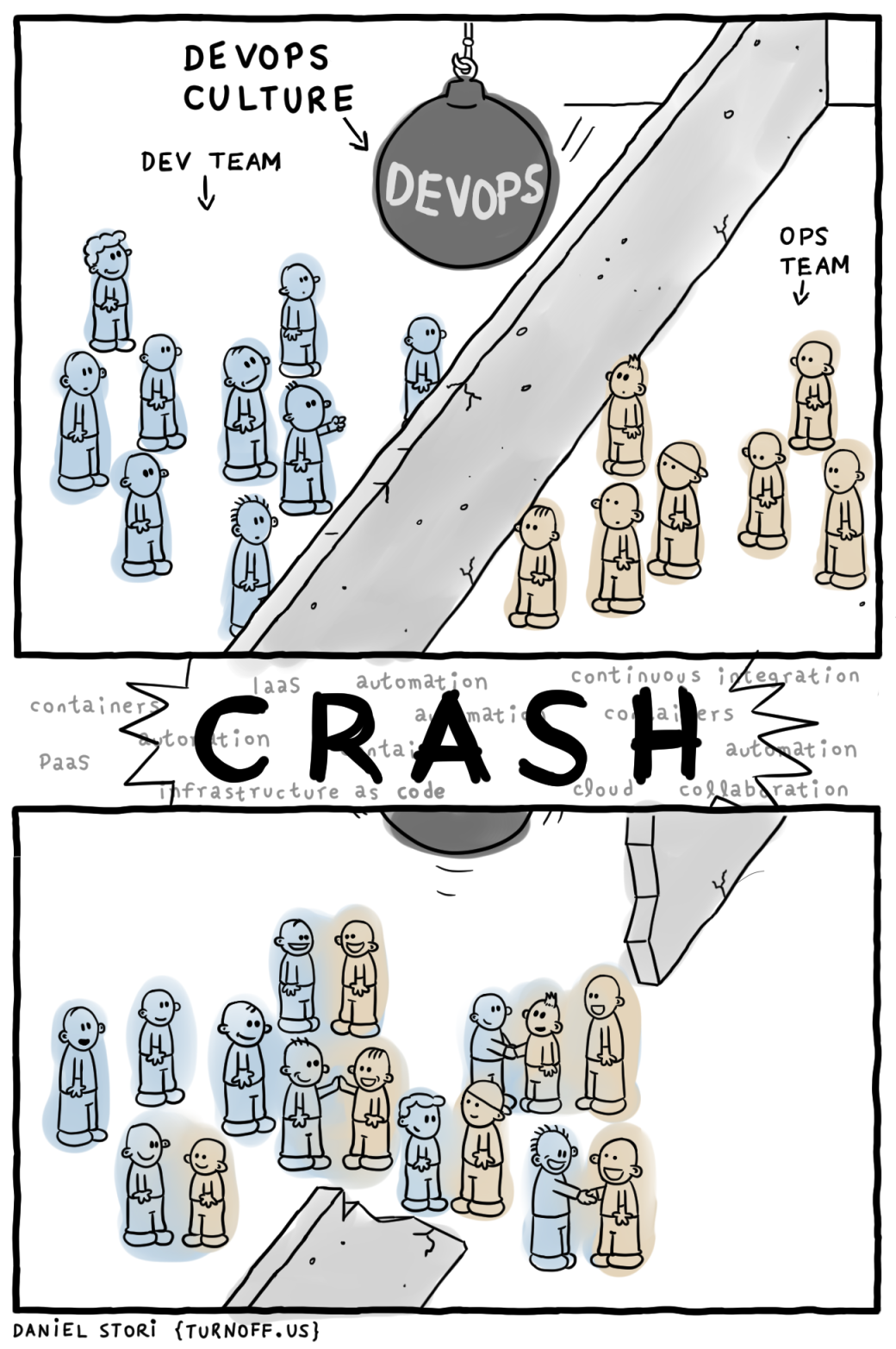
<p>While I was on my way to Amsterdam, I was reading up on my RSS feeds
and ran across the most recent comic on
<a href="https://turnoff.us/">turnoff.us</a>. It was so appropriate that I decided
to copy it here:</p>
<figure><img src="/images/turnoff_us_devops_explained.png"
    alt="DevOps Explained"><figcaption>
      <p>DevOps is not a Role &mdash; taken from <a href="https://turnoff.us/geek/devops-explained/">turnoff.us</a> and scaled down a bit. License: <a href="https://creativecommons.org/licenses/by-nc-sa/4.0/">CC BY-NC-SA 4.0</a></p>
    </figcaption>
</figure>

<h2 id="setup-your-own-ansibledocker-workshopraising-an-ansible-army--arnab-sinha-tata-consultancy-services">Setup your own Ansible/Docker Workshop/Raising an Ansible Army &mdash; Arnab Sinha (TATA Consultancy Services)</h2>
<p>Arnab wanted to be able to easily create lab environments for
trainings. This workshop not only discusses how the lab is setup but
also uses such a lab environment (in this case to provide an Ansible
training environment).</p>
<p>The nature of the setup of the lab he used today: each participant got
a control node and two managed nodes. Each node was in fact a Docker
container which was managed by Ansible.</p>
<p>The first part of the workshop was basically an introduction to
Ansible with topics like the history of Ansible and basic command line
usage. Arnab demonstrated how to use a custom inventory file, limiting
plays to a group or certain tasks (or skipping tasks) and how to syntax
check your playbook.</p>
<p>A few examples:</p>
<div class="highlight"><pre tabindex="0" class="chroma"><code class="language-bash" data-lang="bash"><span class="line"><span class="cl">$ ansible all -i <span class="s2">&#34;localhost,&#34;</span> -c <span class="nb">local</span> -m shell -a whoami
</span></span><span class="line"><span class="cl">$ ansible -i demo.ini all -m shell -a whoami -v
</span></span><span class="line"><span class="cl">$ ansible-playbook playbook.yml --syntax-check
</span></span></code></pre></div><p>Some best practices:</p>
<ul>
<li>Use the <code>.ini</code> extension for your inventory file.</li>
<li>Use a separate inventory file for each environment (develop, test,
production, etc).</li>
<li>Use tags so you can specify which tasks you want to run.  (Use
&ldquo;<code>ansible-playbook --list-tags playbook.yml</code>&rdquo; to show all available
tags.)</li>
</ul>
<p>In the category &ldquo;today I learned&rdquo;:</p>
<ul>
<li>Ansible has a pull mode (<code>ansible-pull</code>). Who knew? :-)</li>
<li>Ansible comes with documentation: <code>ansible-doc</code>.</li>
<li>Looping over sequences with <code>with_sequence</code> (see
<a href="https://docs.ansible.com/ansible/latest/user_guide/playbooks_loops.html#with-sequence">the docs</a>).</li>
<li>You can make a playbook executable by adding
<div class="highlight"><pre tabindex="0" class="chroma"><code class="language-bash" data-lang="bash"><span class="line"><span class="cl"><span class="cp">#!/usr/bin/env ansible-playbook
</span></span></span></code></pre></div>at the top (and using <code>chmod</code>).</li>
</ul>
<p>If you want to run your own lab, you can use Arnab&rsquo;s GitHub repo:
<a href="https://github.com/arnabsinha4u/ansible-traininglab">arnabsinha4u/ansible-traininglab</a>. Note
that this assumes a CentOS host.</p>
<p>In order to be able to log in to the &ldquo;master&rdquo; node (via <code>ssh ansiblelabuser1@localhost</code>) I had to enable <code>PasswordAuthentication</code>
in <code>/etc/ssh/sshd_config</code>. But since I had run the Ansible playbook
already, I was not allowed to change that file. I first had to run
this command:</p>
<div class="highlight"><pre tabindex="0" class="chroma"><code class="language-bash" data-lang="bash"><span class="line"><span class="cl">$ chattr -i /etc/ssh/sshd_config
</span></span></code></pre></div><p>Other GitHub repos from Arnab that you can use:</p>
<ul>
<li><a href="https://github.com/arnabsinha4u/docker-traininglab">arnabsinha4u/docker-traininglab</a></li>
<li><a href="https://github.com/arnabsinha4u/launchpad">arnabsinha4u/launchpad</a></li>
</ul>
<h2 id="introduction-to-kubernetes--andy-repton-schuberg-philis">Introduction To Kubernetes &mdash; Andy Repton (Schuberg Philis)</h2>
<p>Kubernetes is a container orchestration platform. It has a huge open
source backing and new features are being built quickly. It does one
thing (in an elegant way).</p>
<p>Kubernetes has three main components:</p>
<ul>
<li>Masters: the brains of the <em>cluster</em>. Consists of: Apiserver,
controller manager, scheduler.</li>
<li>Nodes: the brains of individual <em>nodes</em>. Consists of: kubelet,
kube proxy.</li>
<li>etcd: replicated key/value store; the state store and clustering
manager of kubernetes.</li>
</ul>
<p>When you look at it from a &lsquo;physical&rsquo; perspective, you have a
Kubernetes node and this node runs Docker, which in turn runs the
containers. Pods are a logical wrapper around containers; we don&rsquo;t care
about nodes.</p>
<p>Pods are mortal. What this means is that processes are expected to
die. But we do not care because Kubernetes ensures availability by
making sure that there are enough of them running.</p>
<p>During the workshop we used the following GitHub repo:
<a href="https://github.com/Seth-Karlo/intro-to-kubernetes-workshop">Seth-Karlo/intro-to-kubernetes-workshop</a>.</p>
<p>The pod you can create with the <code>pod/pod.yml</code> file can be used for a
toolbox to examine other pods.</p>
<p>More terminology: a <em>replica set</em> is basically a way of saying &ldquo;make
sure there are N copies of a pod.&rdquo; If you look at the specification of
a replica set, you can see that it contains a Pod spec.</p>
<p>Using the <code>readinessProbe</code> directive you can make sure that a
container does not receive traffic until it is actually ready. Note
that this is different from Docker&rsquo;s health check which is meant to
determine if a container is still working or should be killed.</p>
<p>With the replica set example in aforementioned repo, Kubernetes will
automatically start a pod again if it is killed. Even if you kill a
pod yourself&mdash;Kubernetes doesn&rsquo;t care <em>why</em> it has gone down.</p>
<p>If you edit a replica set (e.g. to update to a newer version of an image),
it has no immediate impact because the pod spec is nested. Deployments
can enforce changes are being executed though.</p>
<p>To get the whole configuration of a pod, including the default and not
just the stuff we specified, run:</p>
<div class="highlight"><pre tabindex="0" class="chroma"><code class="language-bash" data-lang="bash"><span class="line"><span class="cl">$ kubectl get pod &lt;podname&gt; -o yaml
</span></span></code></pre></div><p>Note that <code>volumeMounts</code> appear by default on every pod you create.</p>
<p>Secrets, although the name implies something different, are <strong>not</strong>
encrypted; all pods in the same namespace can access the secret and
decode it (base64). It is an easy way to put information in a pod, it
is not secure!</p>
<p>Services don&rsquo;t &ldquo;exist&rdquo; like containers do. A service is a purely
logical idea. A service exposes pods to other pods.</p>
<p>A service automatically gets a DNS entry: <code>&lt;service name&gt;.&lt;namespace name&gt;</code>. This means that from inside your containers, you can use DNS
to access other containers.</p>
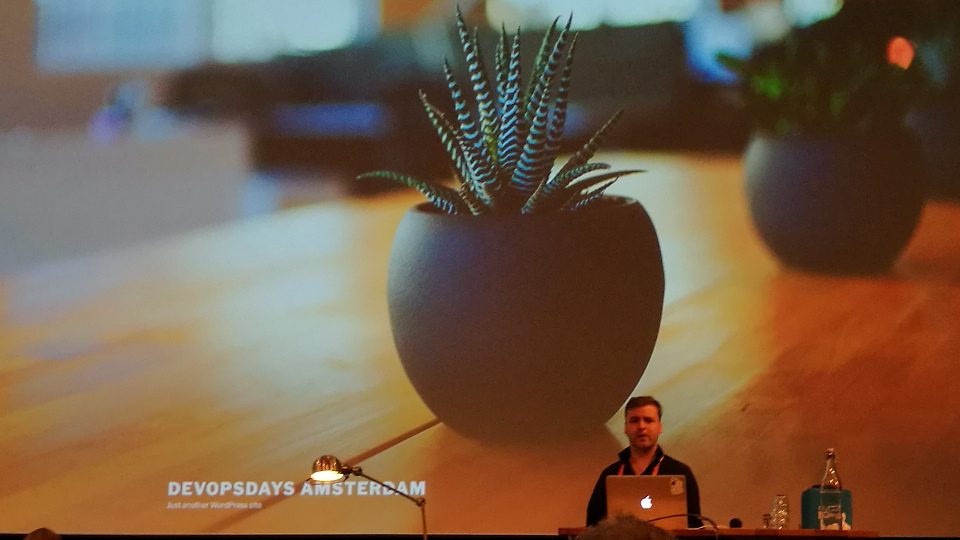
<figure><img src="/images/devopsdays2017_kubernetes_workshop.jpg"
    alt="Andy presenting"><figcaption>
      <p>Andy with his fresh WordPress installation</p>
    </figcaption>
</figure>

<p>About scheduling:</p>
<ul>
<li>You can label nodes and then make sure that pods are scheduled on
nodes with a certain label.</li>
<li>Kubernetes will distribute pods across nodes as &rsquo;evenly&rsquo; as
possible.</li>
<li>Kubernetes will not auto reschedule pods when you add a new node.</li>
</ul>
<p>For this workshop we used <a href="https://github.com/kubernetes/kops">kops</a>
because it was easier.  At Schuberg Philis they actually use Terraform
to manage their cluster(s). Note that you can use a flag and then
<code>kops</code> will spit out Terraform code.</p>
<blockquote>
<p>If you are worried about your pods going down gracefully,
you are doing your pods wrong.</p></blockquote>
<p>If your application depends on long running processes: don&rsquo;t use
Kubernetes. Use the right tool for the right application.</p>
<p>Combine containers inside pods if latency matters, if they need to
share configuration files or if they need to connect via loopback
device.</p>
<p>Miscellaneous:</p>
<ul>
<li><a href="https://kompose.io/">Kompose</a>: a tool to convert Docker Compose
files to Kubernetes YAML files.</li>
<li>With
<a href="https://kubernetes.io/docs/tasks/run-application/horizontal-pod-autoscale/">horizontal pod autoscaling</a>
you can automatically scale up/down the number of pods to handle load.</li>
<li>You can set limits on your pods so Kubernetes will kill it off
when it goes over the limits, e.g when it uses too much memory.</li>
</ul>
<p>Resources:</p>
<ul>
<li><a href="https://slides.com/andyrepton/introduction-to-kubernetes">Slides</a></li>
<li><a href="https://gist.github.com/Seth-Karlo/f6a88ca2e79dec42094abbacc850df5c">Command cheat sheet</a></li>
</ul>
<h2 id="hands-on-openshift-developer-workshop-in-azure--alessandro-vozza-microsoft--samuel-terburg-red-hat">Hands-On OpenShift Developer Workshop (In Azure) &mdash; Alessandro Vozza (Microsoft) &amp; Samuel Terburg (Red Hat)</h2>
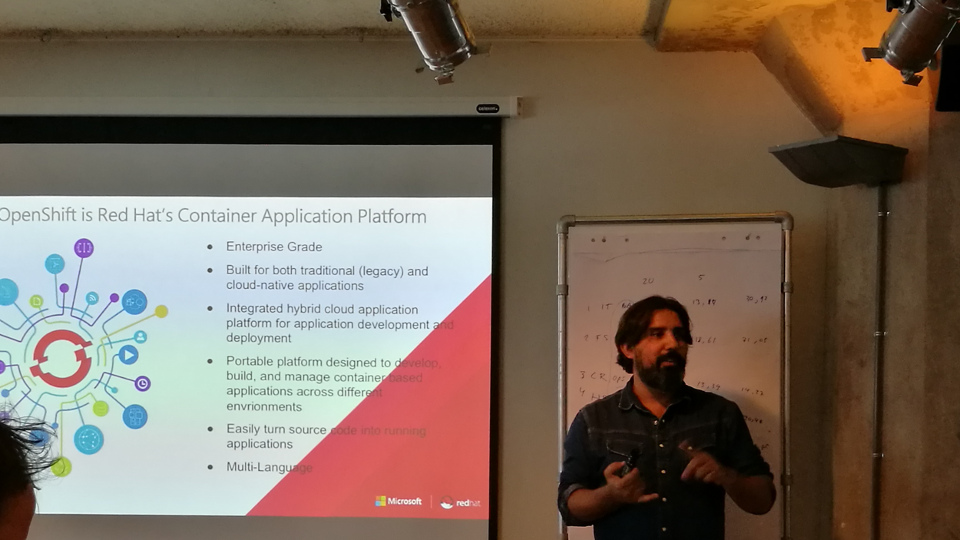
<p>Why OpenShift: because developers need a platform to be able to deploy
their applications. OpenShift is a platform to run your containers at
scale. Meant for enterprise: not necessarily the latest features, but
focus on stability.</p>
<p>OpenShift was originally written in Ruby, but it has been rewritten in
Go and it is built upon Kubernetes. Openshift is always one release
(circa three months) behind on Kubernetes.</p>
<p>Everything you can deploy in Kubernetes, you can deploy on OpenShift.</p>
<figure><img src="/images/devopsdays2017_openshift_workshop.jpg"
    alt="Alessandro presenting"><figcaption>
      <p>Alessandro explaining what OpenShift is</p>
    </figcaption>
</figure>

<p><a href="https://github.com/openshift/origin">OpenShift Origin</a> is community
supported. If you want a commercially supported version, you have to
run on Red Hat Enterprise Linux
(RHEL). <a href="https://www.redhat.com/en/technologies/cloud-computing/openshift">Red Hat OpenShift</a> uses RHEL
images, where OpenShift Origin uses CentOS.</p>
<p>OpenShift Online runs on AWS, but you can for instance also run it on
bare metal if you want. But public clouds are a more natural fit for
cloud-native applications.</p>
<p>Pods are the orchestrated units in OpenShift. Containers in a pod can
talk to each other via localhost and local sockets. The security
boundary is extended from the container to the pod. Containers can see
each others processes and files. You only want to run one process in a
container though.</p>
<p>A service can be seen as a sort of load balancer to redirect traffic to
the right pods. Internally it is using <code>iptables</code>.</p>
<p>OpenShift provides its own Docker registry which you can use if you
want to.</p>
<p>OpenShift has solved the persistent storage problem before Kubernetes
did. You can use the native storage for your solution (e.g. EBS for
AWS). Note that block storage solutions require mounting/unmounting
and thus takes a little longer.</p>
<p>As with Kubernetes, there is no built-in autoscale for OpenShift.
<a href="https://access.redhat.com/products/red-hat-cloudforms">Red Hat CloudForms</a>
can monitor your cluster and do the scaling for you.</p>
<p>The routing layer is your entrypoint into the cluster. It&rsquo;s based on
HAProxy. Comparable with Kubernetes&rsquo; Ingress.</p>
<p>RHEL Atomic is a minimalistic OS designed to run Docker
containers. (It is similar to CoreOS, but Red Hat wanted to have its
own OS.) Everything you want to run has to run in a container. You can
install OpenShift on RHEL Atomic.</p>
<p>Fun fact: you can create resources in Azure with Ansible.</p>
<p>Unfortunately there were some problems with the Red Hat OpenShift
Azure Test Drive. As an alternative I used
<a href="https://docs.okd.io/3.11/minishift/index.html">minishift</a> to
run OpenShift on my laptop. With it, I could work on the workshop.</p>
<p>Further reading:</p>
<ul>
<li><a href="https://kubebyexample.com/">Kube by Example</a></li>
<li><a href="https://aka.ms/openshift">Azure Red Hat OpenShift</a></li>
<li><a href="https://github.com/ivanthelad/ansible-azure">ansible-azure repository</a></li>
<li><a href="https://docs.openshift.com/">OpenShift Documentation</a></li>
<li><a href="https://github.com/minishift/minishift">Minishift repository</a></li>
</ul>]]></content>
  </entry>
</feed>