Posts tagged with “tools” on Mark van Lent’s weblog2024-02-13T00:00:00+00:00tag:markvanlent.dev,2010-04-02:/tags/tools/index.xmlMark van Lenthttps://markvanlent.dev/about/Copyright (c) Mark van Lent, Creative Commons Attribution 4.0 International License.https://markvanlent.dev/favicon.ico<![CDATA[Custom Kali Linux ISO — part 2]]>https://markvanlent.dev/2024/02/13/custom-kali-linux-iso-part-2/2024-02-13T20:03:46Z2024-02-13T00:00:00ZIn part 1 of this (mini) series I
described what I did to be able to build an ISO image using Vagrant. Now it’s
time to actually customize it.
I’ll show what I have done and will provide links to the official documentation
for more in-depth information. This post is mainly for my own reference in the
future, but others might benefit from it as wel.
The basis is an existing Kali Linux environment which is setup with the build
script. See the
Getting Ready
section of the documentation. Long story short:
You can include extra packages on your custom Live ISO. If these are available in the
Kali repos, it is quite simple. As described in the
documentation
you can edit the files (in case of the default Live ISO) in
kali-config/variant-default/package-lists/kali.list.chroot. I decided to put
the additional packages in a new file:
The first command creates a file with the .chroot extension and is used during
the chroot stage. To also have this file on the live system (to be able to use
APT later on to update the packages), I copy the .chroot file to one ending in
.binary. For more information on this subject, see the Debian documentation pages
Customization overview
and
Customizing package installation.
The APT repository signing key also needs to be stored in the same directory:
There’s one more change that needs to be made. To make sure the build process
can actually use the packages from the added repository, you’ll need to include a
few more packages at boot time.
To do this, edit the file auto/config and add an --include option to the
debootstrap-options line. Concretely this means changing this line:
After that you are good to go. Just do not forget to add the package you want to
install (in this case code) to the list of packages. In my case this meant
updating kali-config/variant-default/package-lists/custom.list.chroot.
]]><![CDATA[Custom Kali Linux ISO — part 1]]>https://markvanlent.dev/2024/02/11/custom-kali-linux-iso-part-1/2024-02-13T20:03:46Z2024-02-11T00:00:00ZWhen I wanted to create a custom Kali Linux ISO using Vagrant, the allocated
disk was not big enough. Solving this required some searching and putting
several bits of information together. This post shows how I increased the disk
size.
The Kali documentation contains a nice page about creating a custom Kali
ISO. That
page states that [i]deally, you should build your custom
Kali ISO from within a pre-existing Kali environment, […] so I
decided to use Vagrant to create a virtual machine
which I could use.
The basic configuration for that box:
Vagrant.configure("2")do|config|config.vm.box="kalilinux/rolling"config.vm.provider"virtualbox"do|vb|# Do not display the VirtualBox GUI when booting the machinevb.gui=falseendend
When I started building the ISO, the default 40G disk filled up and the process
could not be completed.
To solve this, the first step was to have Vagrant resize the disk for the
machine. You can do this by adding a single line to your configuration.
(For details see the relevant
Vagrant documentation.)
Vagrant.configure("2")do|config|config.vm.box="kalilinux/rolling"config.vm.disk:disk,size:"50GB",primary:trueconfig.vm.provider"virtualbox"do|vb|# Do not display the VirtualBox GUI when booting the machinevb.gui=falseendend
While this increases the size of the disk, I still had to increase the
partition in the OS. This was a bit more involved, but by adding a couple of
commands in a config.vm.provision section, I got it working without needing to
reboot the machine afterwards:
Vagrant.configure("2")do|config|config.vm.box="kalilinux/rolling"config.vm.disk:disk,size:"50GB",primary:trueconfig.vm.provider"virtualbox"do|vb|# Do not display the VirtualBox GUI when booting the machinevb.gui=falseendconfig.vm.provision"shell",inline:<<-SHELL
apt-getupdateapt-getinstall-ycloud-guest-utilsswapoff-aecho'+10G,'|sfdisk--move-data--force/dev/sda-N2partprobegrowpart/dev/sda1resize2fs/dev/sda1swapon-aSHELLend
Running “vagrant up” now does all the heavy lifting for you. Do note that
resizing the disk and making the extra space available to the OS takes
significantly more time when creating the machine (compared to using a machine
with the default disk size). Then again: if you know this, you can plan to have
a cup of coffee (or tea if you are like me) in that time.
Time to create a custom Kali ISO… See
part 2 for how I added extra
packages to the ISO.
]]><![CDATA[AWS CLI tools I've used]]>https://markvanlent.dev/2022/12/07/aws-cli-tools-ive-used/2022-12-07T20:47:08Z2022-12-07T00:00:00ZA quick post (mostly for myself) to list the command line tools I’ve used over
the years to interact with AWS, besides the official AWS Command Line Interface
(AWS CLI).
I was content with the AWS CLI initially, but once I had enabled and required
multi-factor authentication (MFA), using the AWS CLI became a bit of a nuisance.
So I started using aws-mfa. I also
wrote a post about it here, titled Using MFA with AWS
CLI.
The next tool I started using was Awsume. This Python
package makes it easier to manage your AWS credentials and sessions, especially
if you are accessing more than one account.
Once we started using Single Sign-On (SSO) more and more at work, I switched to
using AWS Vault. I think the
reason I switched to AWS Vault was simply because Awsume did not support SSO,
but to be honest, I am not sure about that. (Neither do I know if Awsume
supports SSO at the moment.) Either way, what I really like about AWS Vault is
that it stores the credentials in an encrypted password store. So I no longer
had credentials lying around on my hard drive in plain text.
After reading the article
Taking AWS Account Logins For Granted,
I also switched to using Granted. In contrast to AWS
Vault, Granted does not seem to have a way to securely store your long lived
credentials. If you are using those, you may want to use AWS Vault for those.
Since both tools use the same ~/.aws/config file, you can use them next to each
other without a problem.
And that’s the current state of affairs for me. Since I effectively only deal
with SSO logins, I use Granted and its assume command for my day-to-day.
Combined with the
Granted add-on for Firefox
I can easily use multiple accounts and roles on the command line and in my
browser.
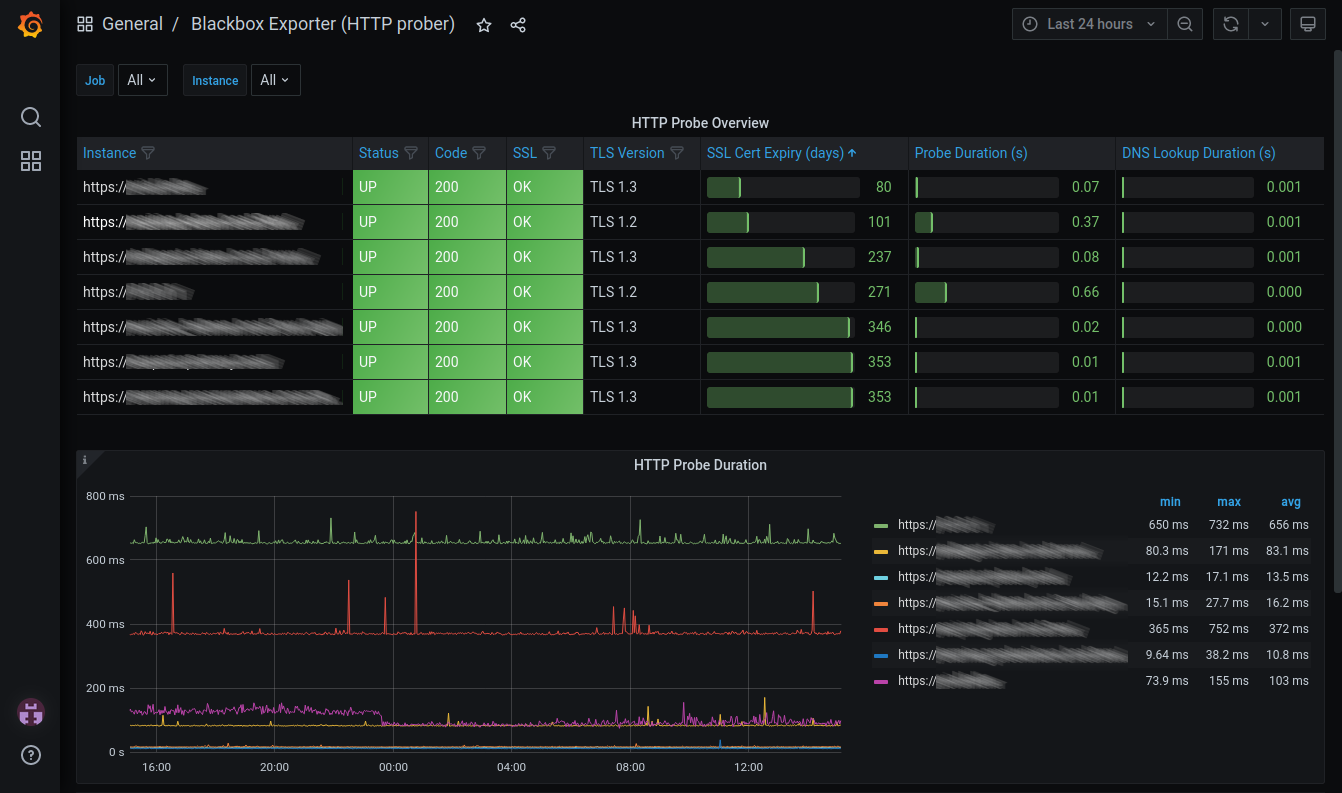
]]><![CDATA[Monitoring TLS certificate expiry]]>https://markvanlent.dev/2021/06/23/monitoring-tls-certificate-expiry/2021-11-10T20:39:28Z2021-06-23T00:00:00ZThis is a short follow-up article to the NAS TLS certificate
replacement
one I wrote a few months back. Since then I have set up monitoring of the TLS
certificates I’ve deployed.
My initial idea was to build some custom tool which would fetch the
certificates, inspect them and output the expiry date (or the numbers of days
left until that date). And although that would have been fun, I also didn’t get
around to it for some time. Meanwhile more certificates were about to expire…
I already had Grafana running for another dashboard and
I have some experience with Prometheus. So using the
Blackbox exporter to solve
the data collection part was—in hindsight—an obvious solution for my
problem. Importing a community built
dashboard in Grafana was the
next logical step.
This gives me just about everything I need and a bit more. I peek at this
dashboard every once in a while and thus far have been able to replace
certificates before they expire.
]]><![CDATA[All Day DevOps]]>https://markvanlent.dev/2019/11/06/all-day-devops/2021-11-09T20:09:33Z2019-11-06T00:00:00ZAll Day DevOps is an online conference
which lasts for 24 hours. With 150 sessions across 5 tracks, there’s enough
content to consume.
(As with all my recent conference notes: these are just notes, not complete summaries.)
#adidoescode Where DevOps Meets The Sporting Goods Industry — Fernando Cornago
Adidas is a big company, about 57,000 employees. Software is also having an
impact on sports, e.g. registering your performance, etc. Is Adidas already a
software company? Definitely not, but they should start behaving as if they are.
They are building their applications 10,000 times a day.
The platform you need to be able to accelerate you business should be:
on demand and self-service
scalable and elastic
pay per use (which helps with the efficiency mindset)
transparent and measurable (observability)
open source + inner source
To improve sales, Adidas' platform can run where their customers are (globally)
and can scale up if needed and scale down again when possible.
Making use of data is key. The data is seen as a baton in a relay race and makes
its way through the teams. A large part of time consumed in creating a service
is spent at looking at the data. The data is used to train their AI systems.
You want to deliver value and make sure that things are working. Testing needs
to be done on the physical level (the actual products that are being sold), but
also on the virtual level: the IT platform also needs to perform and work as
expected.
At Adidas they went from having a couple of “DevOps engineers” to having a
DevOps culture in all teams. This removed bottlenecks and allowed them to grow
faster. They have substantially reduced costs and manual testing and improved
drastically on time to production.
Multi Cloud “day-to-day” DevOps Power Tools — Ronen Freeman
About the relation between SRE (Site Reliability Engineering) and DevOps: SRE is
an implementation of DevOps.
What defines a great SRE:
Quality
Be curious
Stay up to date
Attend events
Tinker with things
Adapt to change (change will happen, anticipate it, monitor it, adapt
to it and prepare for the next change)
Learn: learn fast so you may promptly begin again
Laziness: automate, but ask your self the question whether it will
actually save time or not
Support
Googling is an art form
You’ll learn the answer itself but also discover things in the process
There are numerous forums (for example: Stack Overflow, GitHub, Slack,
etc)
How to Run Smarter in Production: Getting Started with Site Reliability Engineering — Jennifer Petoff
Software engineering is focussed on design and building, not about running the
application.
There are multiple places in organizations where friction occurs:
Business vs development: this is addressed by Agile
Development vs operations: this friction is addressed by DevOps
SRE is a bridge between business, development and operations.
Four key SRE principles:
SRE needs Service Level Objectives (SLOs) with consequences
SREs must have time to improve the world
SRE teams must be able to regulate their workload
Failure is an opportunity to learn (having a blamelessness culture)
Some terminology:
Service Level Objectives (SLOs): a goal you want to achieve. For example, you
may want to set an uptime SLO, but typically you want to dig deeper, like
99.99% of HTTP requests should succeed with a “200 OK” response. You want to
measure something your user cares about.
Service Level Agreements (SLAs): these are “handshakes between companies,”
contractual guarantees.
Error budget: the gap between your SLO and perfect reliability. E.g. the
allowed downtime to still match your 99.9% uptime SLO.
Error budget policy: this policy describes what do you do when you have spent
your error budget. Example: no new features until within your error budget
again.
100% is the wrong reliability target for basically everything
SRE is about balancing between reliability, engineering time, delivery speed and
costs.
Note that you can have an error budget policy without even hiring a single
SRE. You can already start with an SLO.
SLOs and error budgets are a necessary first step if you want to improve the
situation.
When talking about making tomorrow better than today, you need to address toil
(work that needs to be done that is manual, repetitive, automatable and does not
add value). If your SRE team is spending time on toil, they are basically an ops
team. Instead you want them to make the system more robust and improve the
operability of the system.
One way to be able to have your SRE team regulate their workload is to put them
in a different part of the organization.
If you want to start with SRE, start with SLOs and let your SRE team own the
most critical system first. Don’t make them responsible for all systems at once.
Let them deal with the most important systems first. Once they have that under
control (removed toil, etc), they can take on more work.
You need leadership buy-in for every aspect of SRE work.
Aim for reliability and consistency upfront. SRE teams should consult on
architectural discussions to get to resilient systems.
SRE teams can benefit from automation:
Eliminate toil
Capacity planning (auto scaling instead of forecasting)
To fix issues: if you can write a playbook, you can automate it.
SRE teams embrace failure:
Setting SLO less than 100%
Blamelessness at all levels
Learning from failure
Make the postmortems available so other teams can also learn from them
Everybody Gets A Staging Environment! — Yaron Idan
How can you give an isolated and secure staging environment for each developer?
If you follow the path Yaron’s company (Soluto) took, prepare for a rocky
transition, getting used to new terminology when moving to Kubernetes and users
that can get upset at first.
Their first step: automate the entire process. The realized they needed
onboarding documentation and templates. They used Helm for the templates.
Deploy feature branches to the production environment. When developers open a
pull request, the CI/CD tool adds a link to where this PR is deployed. This
empowers the developers and provides a sense of security. This accelerated the
way the developers built features and the adoption of the platform by the
company.
The benefits:
Code is fit for production during entire life cycle of the feature branch.
Makes performance testing easier (after all: it’s deployed on the production environment).
Easier to share things with the stakeholders and thus improves collaboration.
You can deploy an entire set of microservices.
The tools used for their implementation:
GitHub (VCS)
Docker (code as configuration)
CodeFresh (CI)
Helm (CD)
Kubernetes (production platform)
You can swap the aforementioned tools with other tools, but you must be able to
automate them and make sure that they work with the push of a single button.
DevOps to the Next Level with Serverless ChatOps — Jan de Vries
What DevOps is about:
Shipping code
Adding value
Do this continuously
It’s not about:
Adding additional load to your team
Lowering quality
More support calls
Slow response times when there are errors
One option is to send emails if something is wrong. But these emails are slow
(knowing that there was an issue yesterday is too late) and it generates a lot
of noise. Monitoring dashboards are nice, but you have to actively look at them
to detect if there’s something wrong.
A better solution is using chat applications (like Microsoft Teams or Slack).
Your first step is to emit events when something fails (in Azure you can sent
such events to Event Grid).
Next, you have to subscribe to these events/topics. You can use an Azure
Function for this and then have it post an actionable message to Teams.
These messages can have buttons to take immediate action (e.g. post to a web API
like an Azure Function) to recover from the problem. The output from the recover
action can also send events, so you can get another notification in your chat
application about the result.
Building Modular Infrastructure in Code — Fergal Dearle
Why use infrastructure as code (IaC)?
Fergal is a fan of immutable infrastructure and the pets vs cattle analogy (which
goes further than just servers)
Everything as code
You don’t have to log into a server via SSH to fix things
Better testability and maintainability
The DevOps handbook (part
III, chapter 9) talks about on demand spinning up a production-like environment.
The only way to do this is to use IaC.
First thing is understanding your infrastructure (VPC, networking, DNS,
services, database). Look at patterns like requestor/broker. Use these patterns
to create modular stacks.
Patterns:
Singleton stack pattern: one stack per instance. But this is actually an
anti-pattern because you are mixing configuration and infrastructure.
Multiheaded stack pattern: multiple stacks in single project, config built in.
Template stack pattern: single stack, config separate, multiple instances from
that template
Stack templates & stack instances:
Reusable template that implements building blocks
Appropriate tags
Must be able to uniquely identify instances (namespacing)
Stay clear of monoliths
Monoliths are stacks with everything in them. This is one end of the spectrum.
The other end is to have one service per stack. You’ll probably will want to end
up somewhere in between, where you have a component stack (e.g. with a
requestor/broker combination). And then you can combine those stacks.
Static stack inputs: environment names, app names. You should externalize this
config from your stack, e.g. by feeding these parameters via the command line or
use the SSM Param Store
and Secrets Manager.
(Note to self: Fergal mentioned Sceptre.
Check what this is about.)
Common problems:
Drift can happen, especially if you also make manual changes (don’t!)
Updates are not forward compatible
Region incompatibilities
Best practices:
Only use template stacks
Use layered and component
Externalize config
Test, test, test!
Only use automation, no manual steps
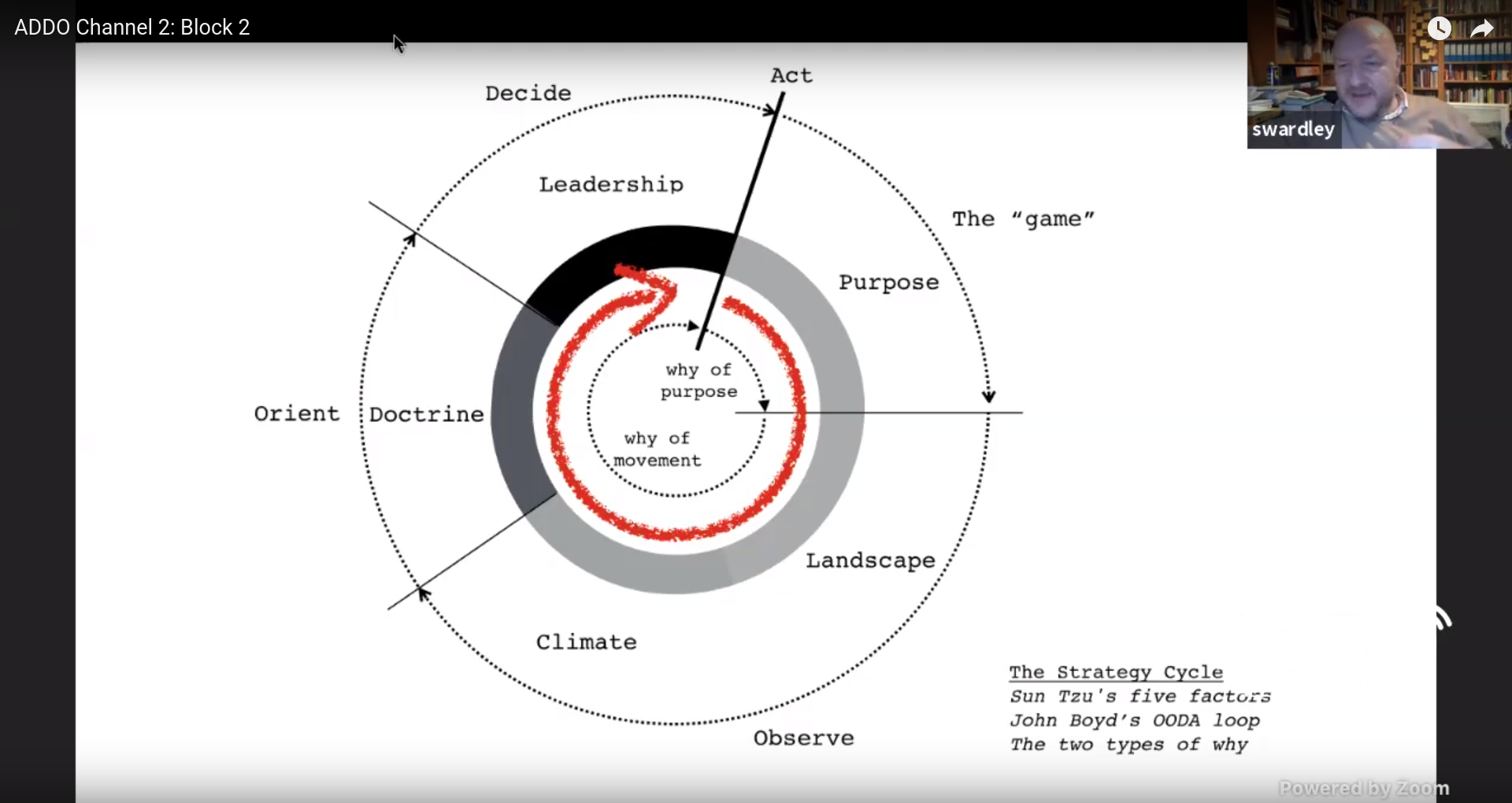
Crossing The River By Feeling The Stones — Simon Wardley
In The Art of War Sun Tzu
discusses five fundamental factors which you should consider:
Purpose
Landscape
Climate
Doctrine
Leadership
John Boyd developed the OODA loop,
which cycles through the following:
Observe
Orient
Decide
Act
You can combine these cycles:
By moving we learn, as long as we can observe the environment.
Maps are ways to:
explore
communicate
share understanding
de-personalize
Graphs are not maps. Identical graphs can spatially be different. On a map,
space has meaning, in a graph not. And because space has meaning, we can
explore, e.g. by asking ourselves the question “what if we go in that
direction?”
What makes a map?
Anchor (compass)
Position (places, relative to the compass)
Consistency of movement (going to right below means go to south-east, assuming
on this map “up” is north)
In business there are a lot of maps, e.g. a systems diagram. But almost
everything in business we call a map actually is a graph. Which means we don’t
have a sense of the landscape.
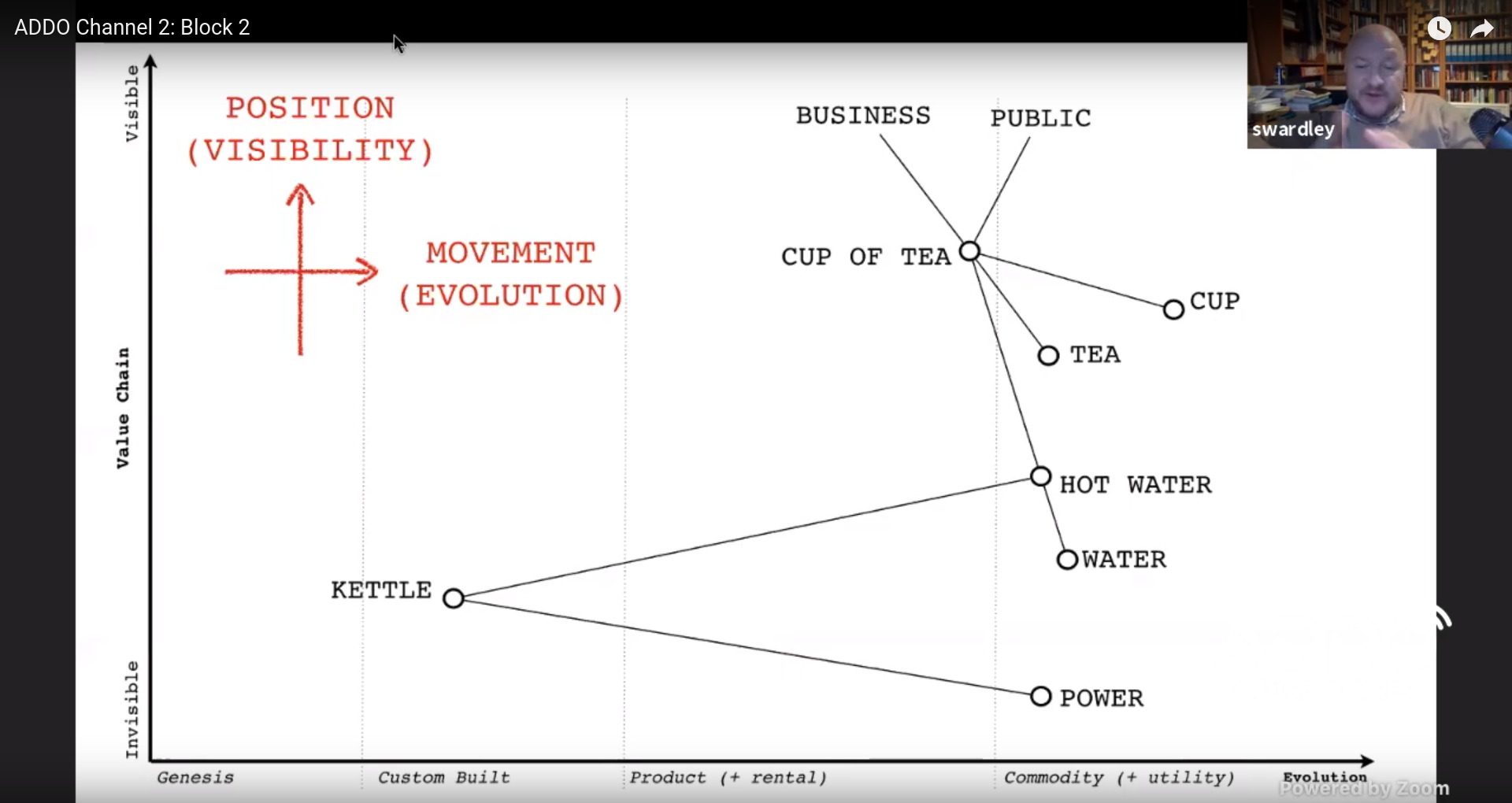
How do you create a map for a business? Start with the anchors, e.g. business
and customers. Work from there to get all related components and express them in
a chain of needs.
But how do you position those components? We can use “visibility” as an analogy
of distance. You can use this to create a “partial ordered chain of needs.”
And what about movement? You can describe movement as a chain of changes. But
how do you do that? You can order components based on their evolutionary
stage. Are they in the genesis stage, do we use custom built components, do we
have standard products or can we consider it a commodity?
By combining these we can create a map of components by using the position
(visibility) on the y-axis and the movement (evolution) on the x-axis.
Simon Wardley shows a map of a fictional company selling cups of tea
You can add intent (evolutionary flow) to your map, e.g. move a component from
custom built to using a commodity.
By using such a map, you can de-personalize discussions since now you talk about
the map, not a story.
Simon told a story of a company that wanted to invest in robots to do manual
labour. After putting their business in a map, the problem became clear: they
were using custom built racks and as a result needed to customize their servers
because they would not fit their non-standard rack. Because the market had changed
since the company started, they could switch to commodity (cloud) and as a
result also did not need robots.
But keep this in mind:
All maps are imperfect representations of a space
Deploying Microservices to AWS Fargate — Ariane Gadd
At KPMG they moved a project from using Amazon EC2 to AWS Fargate. They also
replaced CloudFormation with Terraform for standardization.
Why managed container services and not EKS?
Immutable deployments
Cluster provisioning handled by Fargate
Only pay for what you execute
No OS patching
Smaller attack service
They used ECS deploy to deploy
containers to Fargate.
Why was the customer okay with this change?
They were already familiar with Docker
Fargate has integrations with ECS and ECR.
Overhead of managing EC2 vs cost of AWS Fargate
Fargate runs in your own VPC so you own the network, etc.
The microservices for this project are placed behind an application load
balancer (ALB) using AWS Web Application Firewall (WAF) and TLS termination.
Logs are sent to AWS CloudWatch Logs. They used Anchor for end-to-end container
security and compliance.
Benefits of AWS for KPMG:
Cost reduction (automation tools were already in place, they already used
Lambda for account creation and had reserved instances)
Speed of delivery
Allows collaboration with developers (automation, DevOps).
70% of the engineers were already AWS certified.
Automate Everyday Tasks with Functions — Sean O’Dell
Common use cases for serverless applications are things like web applications
(such as static websites), data processing, Amazon Alexa (skills) and chatbots.
Not every workload should run in a serverless fashion
Organizational and application context are relevant. Serverless is just another
option. You pick what is right for your use case as serverless is not a silver
bullet.
AWS Lambda in a nutshell: there is an event source (e.g. a state change in data
or a resource), which triggers a function, which in turn interacts with a service.
The DevOps pipeline usually starts at the backlog. But what happens before? And
how does that influence people outside the engineering department?
Patrick joined a startup five years ago. He fixed the DevOps pipeline. After a
while the organization wanted to sell a product.
The book The Machine
by Justin Roff-March describes “the agile version of sales.”
Sales had more in common with IT than Patrick expected. The sales pipeline
looked like a Kanban board. Sales people are also on call, especially if you do
international sales. If we can deliver faster, this increases the chance of a
sale. Sales persons are actually mind readers; this reminded Patrick how IT
people feel about tickets in the backlog: “what is meant with this ticket, what
do the customers actually want?”
Thinking about the life of the project after it has been delivered, in terms of
maintenance and operational costs, is important. Doing this upfront, is
beneficial for the project.
The biggest impact sales had on IT was the never ending hammer of “can you make
things simpler?” Sales can help you with making your design less complex.
Together you can determine what actually adds value for the customer.
Having publicly available documentation really helps and makes it easier to sell
the product. Getting the customers on Slack also helped. This showed that the
company was willing to listen and help. This also helps sales.
After sales, the marketing department got focus. Patrick has seen the most
interesting automation within the marketing department (e.g. email sending).
Marketing has a lot of fancy metrics and tools to measure stuff; did they invent
metrics? The IT department can help marketing by providing information.
Conferences are also a marketing instrument. Marketing also has CALMS; they do
very similar things.
We’ve got sales and marketing covered, but for a lot of things we still need
budgets. To budget things, you also need to estimate things. Finance knows what
it is to be on the receiving end of tickets where you have to guess what is
going on.
Sometimes you need to buy things. Patrick looked into agile procurement. Lots of
stuff has to be figured out: is it a fit? is there a way to be partners?
Serverless is a manifestation of servicefull, where you use a lot of services,
so you can focus on your domain instead of having to build everything yourself.
With cloud services there doesn’t have to be communication initially: you read
the website, check the documentation, pull your credit card and start with a
proof of concept. Communication is still important. You have to treat your
suppliers with respect.
HR: how does your company support hiring people? Have people join the team for
some actual work to see if they are a good fit or not.
Do you know what pair programming
is? Well, mob programming is a whole
other level of collaborating. (Note that it’s more than just have one person
typing and a bunch of other people commenting—it has a lot of patterns going
on.) Teams can get very enthusiastic about this and can be very productive the
first week. But if they are not careful, the team is exhausted the next week.
You need to develop a sustainable pace.
Patrick learned a lot from talking to the different departments. They are solving
similar problems as IT is.
The Open Source Observability Toolkit — Mickey Boxell
Some characteristics of a modern application:
Microservices
Distributed
Multiple programming languages
Scalable
Ephemeral
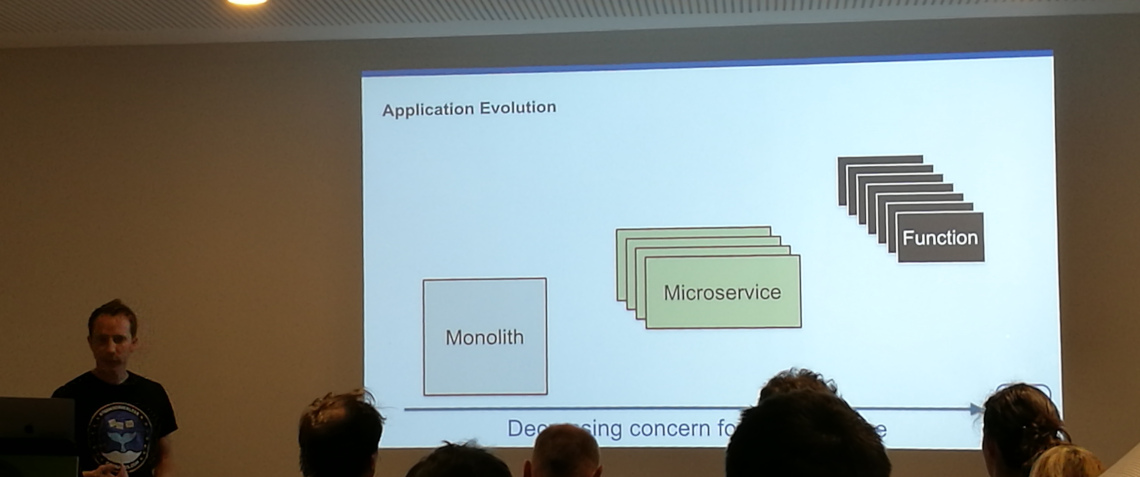
This brings new challenges compared to the old situation with a monolithic
application running on a single machine. You still want to address threats to
customer satisfaction. But the old debugging solutions we used for a monolith
will not work.
Observability means designing and operating a more visible system. This includes
systems that can explain themselves without you having to deploy new code. The
tools help you understand the difference between a healthy and unhealthy system.
Modern, distributed systems will experience failures.
Observability takes a holistic approach that recognizes the impact an issue has
on the business as a whole. Outages affect the whole business, which should be
able to react. Observability gives tools to address issues when they arrive.
External outputs:
Logs
Metrics
Traces
These outputs don’t make your system more observable, but they can be part of
the holistic approach. They can help you with e.g. a root cause analysis.
Monitoring tells you whether a system is working, observability lets you ask
why it isn’t working.
—Baron Schwartz
Key SRE concepts:
Service Level Indictors (SLIs; what are you measuring), Service Level
Objectives (SLOs; what should the values be), Service Level Agreements (SLAs;
defines the planned reaction if the objectives are not met).
Subset of Google’s golden SRE signals: RED (Rate, Errors, Duration).
Mean Time To Failure (MTTF) and Mean Time To Repair (MTTR)
Users are comfortable with a certain level of imperfection. A site that is a bit
slow sometimes, is less annoying than a shopping cart that sometimes looses its
content. Use this to determine what you’ll spend your time on first.
Logging
Logging is the most fundamental pillar of monitoring. Logging records events
that took place at a given time. Supported by most libraries because it is such
a fundamental thing.
You only get logs if you actually put them in your code. You also have to make
sure you don’t lose them, for instance by aggregating them.
Metrics are a numeric aggregation of data describing the behavior of a component
measured over time. They are useful to understand typical system behavior.
Tools:
Prometheus: scrape data, store the data and query
the data
Grafana: visualize the metrics, can aggregate data
from different sources
Alerts are notifications to indicate that a human needs to take action.
Tracing
Tracing is capturing a set of causally related events. Helpful for debugging.
Example: each request has a global ID and if you insert this ID as metadata at
each step, you can trace what happens.
Tools: Jaeger and Zipkin
can visualize and inspect traces.
The challenge is that tracing is hard to retrofit into an existing application.
You need to instrument all component. Service meshes can make it easier to
retrofit tracing.
Service meshes
A service mesh is a configurable infrastructure layer for microservice
applications. It can monitor and control the traffic in your environment. It can
be a great approach for observability. You will get less information from a
service mesh compared to adding tracing to all of your components, but on the
other hand it takes less effort to implement than instrumenting your existing
code base.
]]><![CDATA[Devopsdays Ghent 2019: random notes]]>https://markvanlent.dev/2019/11/02/devopsdays-ghent-2019-random-notes/2021-11-09T20:09:33Z2019-11-02T00:00:00ZWhere my previousarticles were focussed on
the notes I took of the talks, this article is a mix of random notes and
observations I made throughout the conference.
The conference
First of all: this devopsdays conference—once again—inspired me. It
refreshed my desire to make the world (or at least a part of it) a better place.
A big change in the format was that each speaker only had a 15 minute time slot.
This was done to allow more people to speak. While the organization certainly
succeeded in that regard, I felt that most talks were too short, that is: I
would have loved them to last longer.
It felt like the conference was less technical. Perhaps this was because of the
length of the talks, which meant the speakers could not go as deep into a
subject as with a 30-minute talk? Perhaps it was because there were no workshops
where I usually get (more than) my dose of technical deep dives? Perhaps it was
just me?
Note that this is not a complaint about the speakers. Each and every one of
them did a great job and had an inspiring talk. I really appreciate them taking
the stage and sharing their knowledge, experience and opinions with us. Thank
you all!
Sponsors
I talked to a number of sponsors and would like to do more research on certain
products. Examples:
Google Cloud: so far my focus has been on AWS and
Azure, but Google’s cloud offering might also be interesting.
Logz.io: instead of managing our own Elastic stack and
metrics collection + visualization, we might be able to use logz.io for things
we want to run in the cloud. Apparently you can also specify that you want
your data to stay within the EU, which is a plus.
Pulumi: So far I have used Ansible, Terraform and
CloudFormation for my infrastructure-as-code needs. Pulumi allows you to code
in e.g. Python instead of YAML or a domain specific language.
Rancher: although the projects I’m involved in do not
use Kubernetes at the moment, they might in the future. And then it might be
useful to see what Rancher can do for us.
Sonaytpe: detect components with a known
vulnerability in your stack.
Other conferences
During the ignites on the second day, a few other conferences were
mentioned:
Delivery Conf: 21 & 22 January 2020, Seattle, WA, USA
One of the open spaces I joined was about home labs. I only have a small setup
at home, but I did get a few ideas out of this session that may be worth
checking out.
Plex; perhaps I can use this to make my DVD collection
(which is now gathering dust) accessible again?
But the most important question, in my opinion, that was asked during this
session: do you have a disaster recovery plan for your home lab?
What if I’m not around and something breaks down, like the WiFi, how does my
family get things up and running again? Spoiler: they probably won’t. And this
is not their fault. I made things more complex than needed (from their
perspective that is) and failed to provide instructions on how to solve issues.
Miscellaneous
On meetings:
Lean Coffee: an interesting, lightweight meeting format
POWER start:
a meeting facilitation technique to increase the effectiveness of meetings
On toil:
Read up on the subject of toil: Google’s SRE book, chapter 5:
Eliminating toil
Learn to better recognize toil and record it (what is it, what does it cost
in time, energy, etc and what is the frequency)
Something that was said during an open space about testing infrastructure-as-code:
You deploy infrastructure not to have that infrastructure, but to run an application on top of.
I don’t recall who mentioned it, when and what the context was, but
r/devops might be fun to read.
]]><![CDATA[Microsoft Ignite | The Tour: Amsterdam — day one]]>https://markvanlent.dev/2019/03/20/microsoft-ignite-the-tour-amsterdam-day-one/2021-11-09T20:09:33Z2019-03-20T00:00:00ZMicrosoft Ignite | The Tour: Amsterdam is a two day tech conference organized by
Microsoft. On this first day I attended the talks in the “Building your
application for the cloud” learning path.
(On the second day
I followed the sessions of the “Operating applications and infrastructure in the
cloud” learning path.)
Designing resilient cloud applications — Jeremy Likness
Most of the things in this talk allow you to scale your app without changing
your application itself.
We want to design for security. So instead of relying on e.g. environment
variables to distribute secrets, you are better off using a centralized solution,
like Azure Key Vault.
Some of its features:
You can version your secrets
Manage all secrets in one place
Manage secrets across environments (dev, QA, production)
Easy to integrate
Use Managed identities
(formerly “Managed Service Identity” or MSI) on your VM, app service or function
to authenticate to Azure Key Vault.
To make your database more resilient, you can use
Cosmos DB,
which has features like:
Global distribution (get the DB as close to you as possible, without having to
change connection strings)
Elastic scale
Consistency ranging from strong (wait until every replica is up to date) to
“eventually consistent” (it might take a while until all the replicas are up to
date).
Failovers can be done automatically and manually. But whatever you choose, you
don’t have to touch your application. It is possible (and easy) to have a multi
master setup. (It is more expensive though.)
There are several extensions for VS Code to connect to e.g. Cosmos DB from
within VS Code. This means you could edit data from within VS Code.
However, it might be better to hand out read-only credentials for your
production database.
Azure App Service is
a managed platform that makes it easy to run your application (like .NET, .NET
Core, Node.js, Java or Python). It makes scaling up and scaling out on the fly
easy. Even better: you can configure your application to autoscale.
Check out the Azure Extension Pack
extension for VS Code. It has a lot of useful features like connecting with
your Cosmos DB, as mentioned above, but you can also do things like deploying
your application from within your editor.
Azure Storage is useful
for static things you want stored in the cloud, e.g. blobs, tables, files and
queues. Azure Static Sites
are currently in preview. It allows you to serve static files via a web server.
Even the right MIME types are returned.
To have a resilient architecture, you’ll have to have the service available
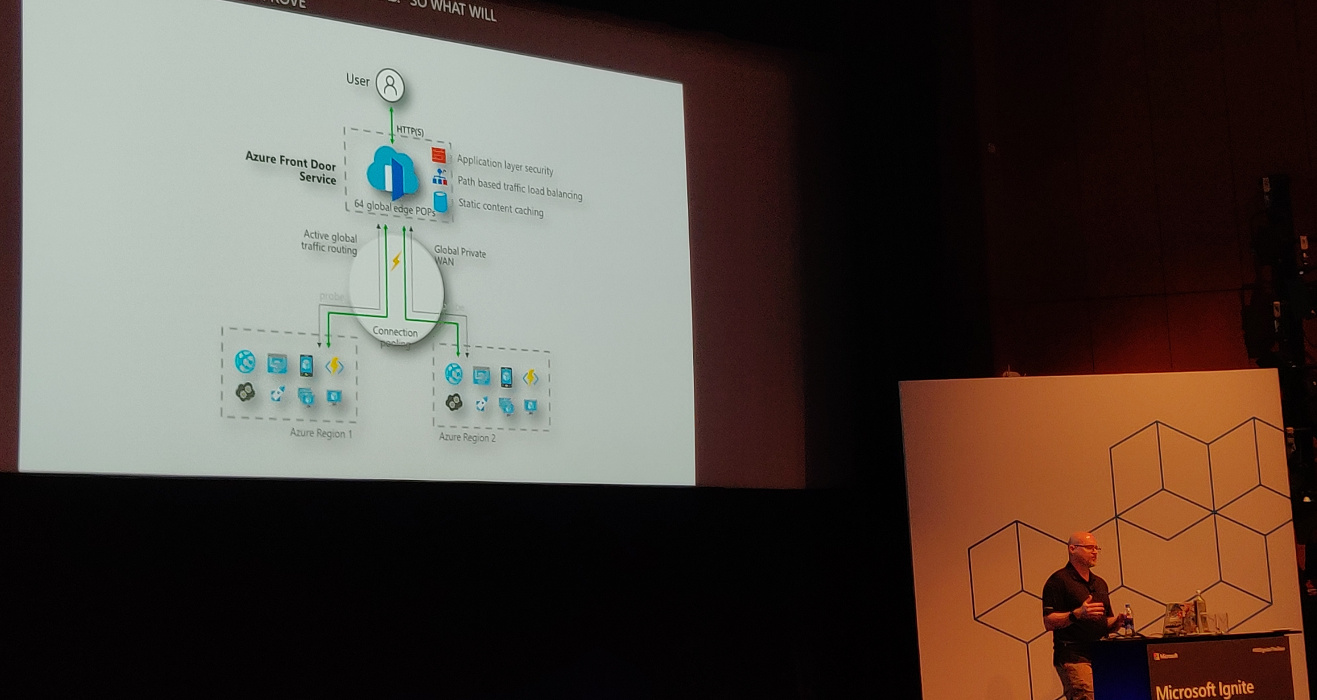
across multiple regions. Use Azure Front Door Service
(currently in preview). It can be used with Traffic Manager.
In the Front Door designer there are “frontend hosts” (domains the service is
hosted on), “backend pools” (the available backends) and “routing rules” which
map frontend hosts to backend pools based on path patterns (e.g.
/api/products/.*).
Deploying your application faster and safer — Damian Brady
Damian Brady uses the analogy of a pit stop in 1905 compared to one in 2013.
Summary: much faster, more people involved.
What is “DevOps”? There are a number of different definitions. At Microsoft it
is defined as:
DevOps is the union of people, process and products to enable continuous
delivery of value to our end users.
Why DevOps is important:
Increases velocity
Decreases downtime and human error
Your competitors are already doing this
Have a look at the State of DevOps Report. It is
a yearly report full of interesting information. The report compares the high
performing teams with low performing teams. The high performers have a 46
times higher deployment frequency, fail less frequently, fix failures 2555 times
faster, etc. It’s a great report to convince your manager to change things.
Development used to toss software over the wall to the operations team. When
things go wrong, people tend to blame the other team. Developers want change but
operations want to have stability (in other words: not change anything)—the
teams have opposite incentives.
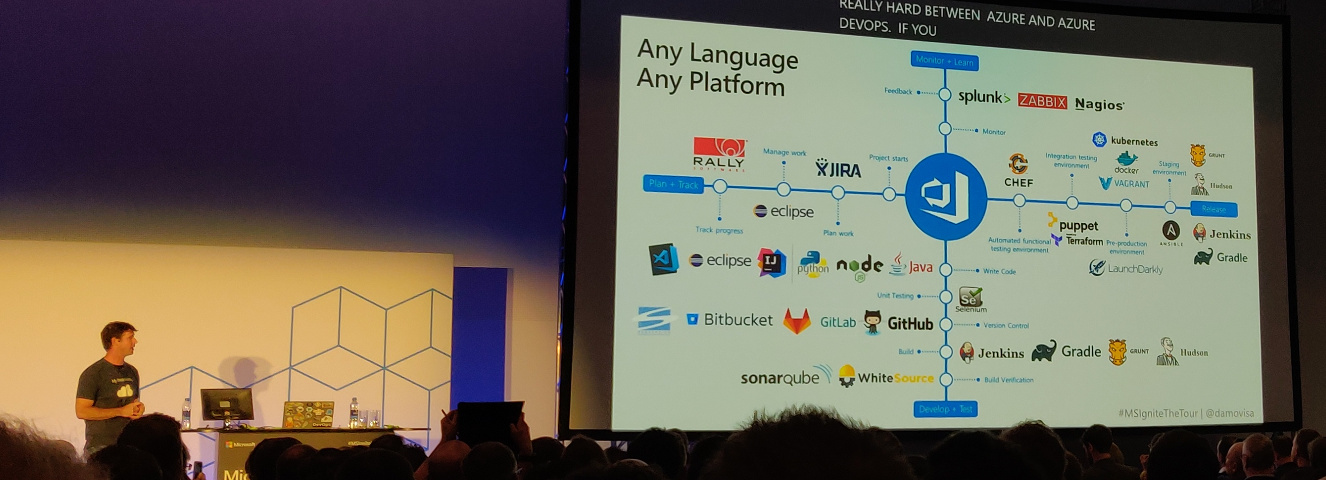
To change this, you’ll need a process. And you’ll need good products to help you
with the process. Azure DevOps
can do everything you need. Fortunately Microsoft does allow you to use your
current products as well.
Azure Pipelines is on the GitHub Marketplace.
It is free, assuming you stay within the limits set.
You can configure your Pipeline in your browser and by doing so, a file called
azure-pipelines.yml is created in your repository. This immediately creates a
build check in GitHub.
Build configuration is similar to deployment configuration.
You can have multiple stages and have pre-deployment conditions between them.
This way you can for instance make sure that person X or group Y has to approve
the deployment to production.
You can have build artifacts, which you can use in your build pipeline. These
artifacts are not available externally—they are part of the release pipeline.
If you need more persistent artifacts, you’ll want to use Azure Artifacts.
You can configure canary deployments and do so in different ways. In this demo
“deployment slots” are used. They allow you to create a duplicate deployment and
direct a part of the traffic to the cloned slot (canary environment).
LaunchDarkly allows you to roll out based on many
more criteria (e.g. regional, a specific customer, etc). Note that this is a
paid service.
Manual approval can be replaced by a so called deployment gate. These deployment
gates are automated approval processes. You can perform a number of checks
(security and compliance assessment, work items, Azure Monitor Alerts or invoke
a REST API or Azure Function). When they are successful, the application is deployed,
otherwise not. This makes deployment faster and safer.
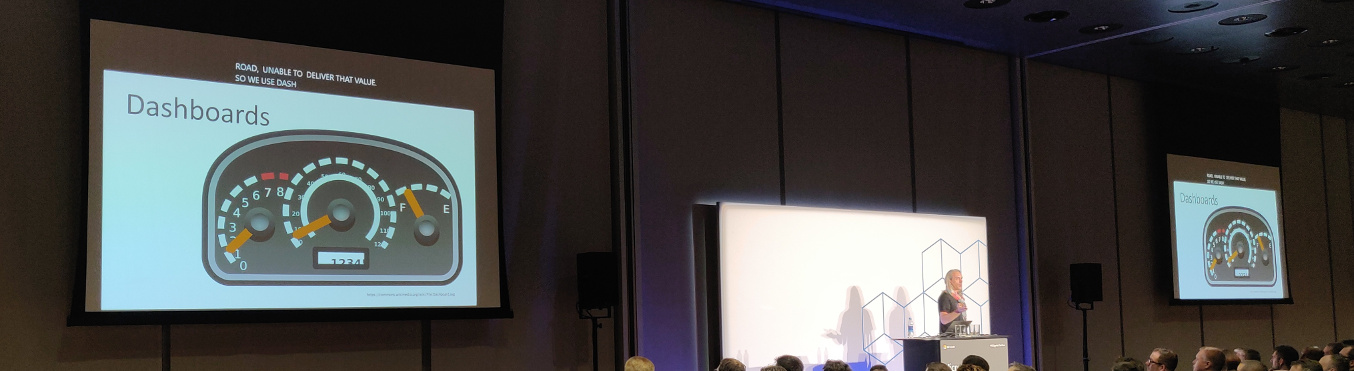
Jason Hand is using the analogy of a car: if it breaks down (e.g. runs out of
gas), it becomes useless. You’ll want to prevent this. Cars have dashboards to
warn if things go out of bounds.
Application Insights has a lot of tools to help you monitor your application.
Going back to the car analogy: it’s like having a mechanic with tools in the
vehicle with you. It has, among other things,
Smart Detection
to warn about performance problems and failures. Something else it provides is
Application Map where
you can more easily spot performance issues.
Selecting the right data storage strategy for your cloud application — Jeramiah Dooley
It is important to think about your data storage. The benefits of having a
storage strategy:
It facilitates an upgrade of legacy processes without running past the
operational teams supporting this.
It provides guardrails to keep everyone aligned.
To build a strategy, you have to break things down into manageable pieces.
This will help you down the line.
A strategy can function as a plan on how to swap pieces in and out.
If everyone is on board on the strategy it is easier to maintain security
posture.
Azure might give you a different way to look at data storage. There are a number
of different storage options. Do note that storage is only a small part of the
whole.
Storage and compute are abstracted away more and more these days, but everything
eventually depends on the storage sitting beneath it. If your storage breaks,
you will have a bad day.
Why not use a relational database to store all data? By using other options, we
may make the application more granular to deploy and/or give developers more
control.
Different kinds of data:
Structured data: this is where we came from with relational databases.
Semi-structured data: this is data that is structured, but cannot be fit
into a table that easily.
Unstructured data: for example video and images.
Different properties of data:
Volume: how big is it going to be?
Velocity: how much is it going to change?
Variety: how much different kinds of data will you have?
Strategies:
Storage driven: the operations team or the business decides on the storage and
development will have to use it. This means developers need to know a lot of
low-level details about the storage. And we probably don’t want that.
Cloud-driven: deploy storage to what makes sense. Not much better for
development, the main difference is that the storage is not on premise.
Function-driven: build what you need, storage comes with it.
An example of function driven approach is building a search functionality. We
could implement it as full-text search on our existing SQL database. However,
this has an impact on the production database. If we would use Azure
Search
(search-as-a-service), we would not have to worry about the storage or paying
for storage we don’t use.
Investing in Serverless: less servers, more code — Jeremy Likness
On premise infrastructure requires you to answer a lot of questions, like:
What media should I use to keep backups?
How can I scale my app?
Who monitors my servers?
What happens if the power goes out?
Who has physical access to my servers?
Moving to infrastructure as a service still means dealing with a bunch of
questions, but less lower level. You pay for the service of someone else
worrying about the hardware, access, etc. You are left with questions like:
How can I scale my app?
How often should I patch my servers?
How do I deploy new code to my servers?
Platform as a service means even higher level questions:
What is the right size of my server?
How many servers do I need?
With serverless, you are down to a single question: how do I architect my app?
You focus on the event that happened (a request was sent to an endpoint) not on
the whole infrastructure to make that happen.
What is serverless (according to Jeremy)?
Abstraction of servers
Event driven / instant scale
Micro-billing (focus on what you are using)
Checklist to determine if something is serverless:
Is it capable of running entirely in the cloud?
Does it run and scale without configuring a VM/cluster?
Do I only get billed for active invocations?
Functions
Functions: you pay for functions that get called and consume memory, not for
servers. You don’t care how much machines are needed to handle the number of
requests.
Functions have triggers and bindings. Triggers are things like blob storage,
Cosmos DB, HTTP, timer and a webhook. Bindings allow you to work with resources
(like files, tables, emails, notifications).
Example: a file is added to storage, a function parses and transforms the file
and stores a chart graphic.
Event grid
Managing events is cumbersome. Event grid can help you. It offers:
Fully managed event routing to get a message from A to B.
Near real-time event delivery at scale.
Broad coverage within Azure and beyond.
You can focus on the messages. The infrastructure ensures reliability and
performance. It can, for instance, handle ten million events per second per
region.
Event grid delivers the event to you; you never have to go out to grab events.
Scenarios:
Serverless apps
Ops automation
Application integration
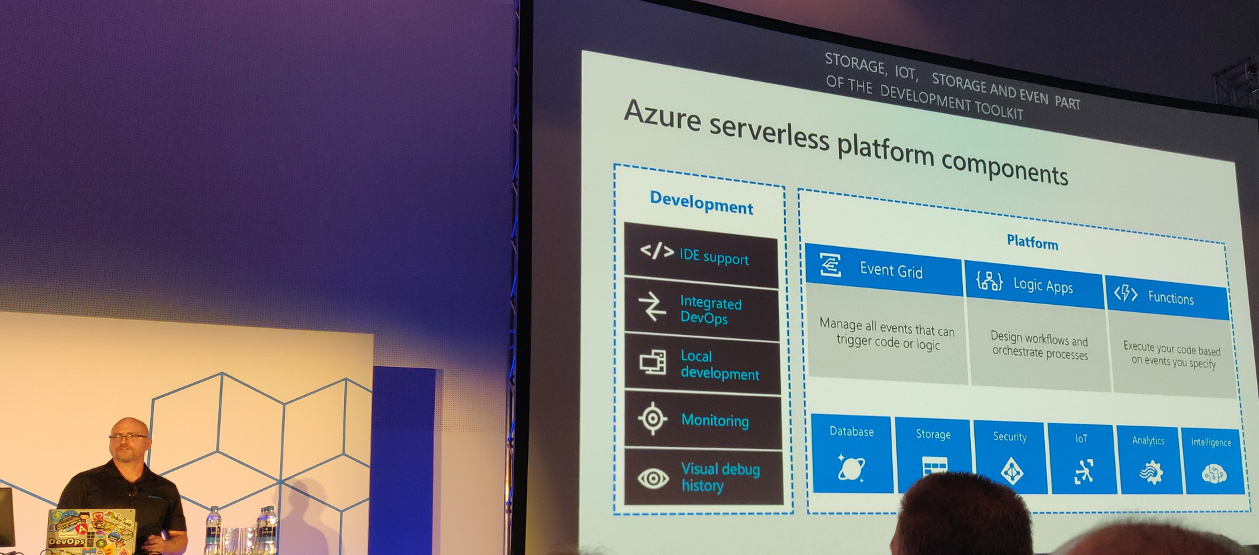
Durable functions are an extension to functions for stuff that e.g. has to wait
for an asynchronous event. They are paused, but state is stored. And you are
only billed for the time the function is actually doing things; you don’t pay
when the function is paused.
Durable function patterns:
Sequential asynchronous calls
Fan out / fan in
Human approval
Ongoing monitoring
Logic apps
Logic apps are the integration engine that connect things together. They allow
you to design workflows and processes. For example: when a new product is added,
an email is sent to the products team to add an image, etc.
]]><![CDATA[Open Source Summit Europe 2018: day one]]>https://markvanlent.dev/2018/10/22/open-source-summit-europe-day-one/2021-10-26T18:57:58Z2018-10-22T00:00:00ZThe first day of the Open Source Summit Europe 2018.
These are just notes. They are not proper summaries of the talks.
A Day in the Life of a Log Message: Navigating a Modern Distributed System — Kyle Liberti & Josef Karasek (Red Hat)
Abstracted tools help us to make systems manageable. We layer abstractions on
top of each other.
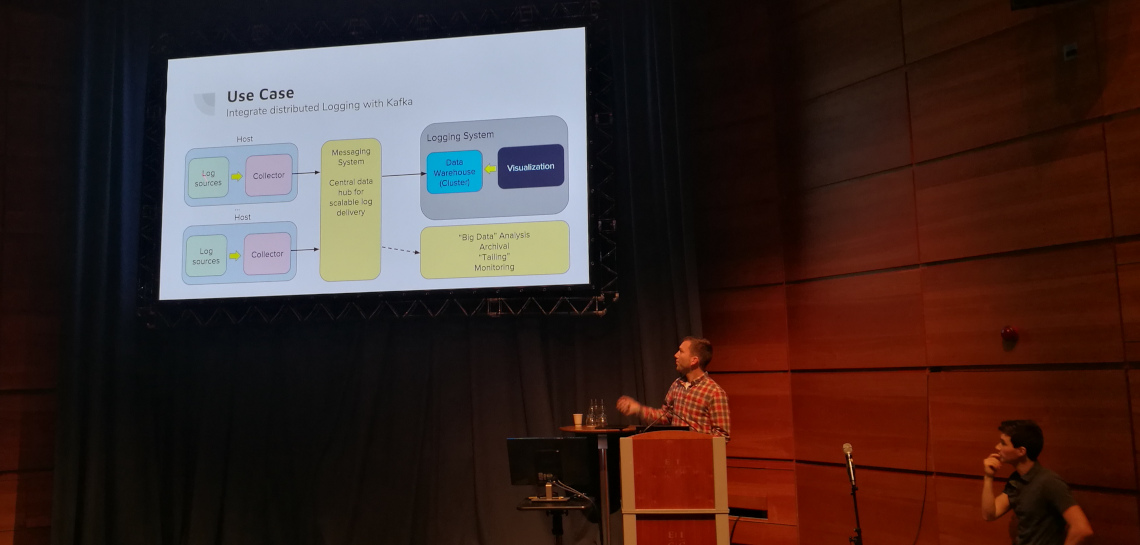
Kafka is a publish/subscribe messaging system. It decouples the source of the
messages from the system where they are needed.
Origin aggregated logging is a part of OKD. It is based
on Elasticsearch, Fluentd and Kibana (EKF).
Taking a look at the journey of a log message, it first encounters a log
collector. This component can tag and enrich log messages. The message then goes
to a Kafka source connector, which imports data from external systems into Kafka
brokers. (There are many types of connectors.) These brokers are like post
boxes: messages are delivered there and other systems can pull them out.
Messages written to topics. Finally a Kafka sink connector is used to export
broker data to external systems, for instance Elasticsearch.
Kafka is not a cloud native application. Strimzi Operators integrate Kubernetes,
OKD and Kafka; it manages the Kafka deployment. The most important operator is
the cluster operator which manages Kafka, Kafka Connect, Zookeeper and
MirrorMaker.
AIOps: Anomaly Detection with Prometheus — Marcel Hild (Red Hat)
A quick intro to Prometheus: Prometheus can pull
metrics from targets and store them in a time series database. It will push
alerts to the AlertManager, based on rules you specify.
For machine learning we need data. Prometheus is not configured to keep your
data for a long term. Thanos is a
project for reliable historical data storage. Until it is production ready, you
can use Influxdb.
Unfortunately it eats RAM for breakfast. You could instead store your metrics
using Ceph. This is also a future proof solution as it
provides a path to Thanos.
Prophet is a Python library to predict
future data and dynamic thresholds.
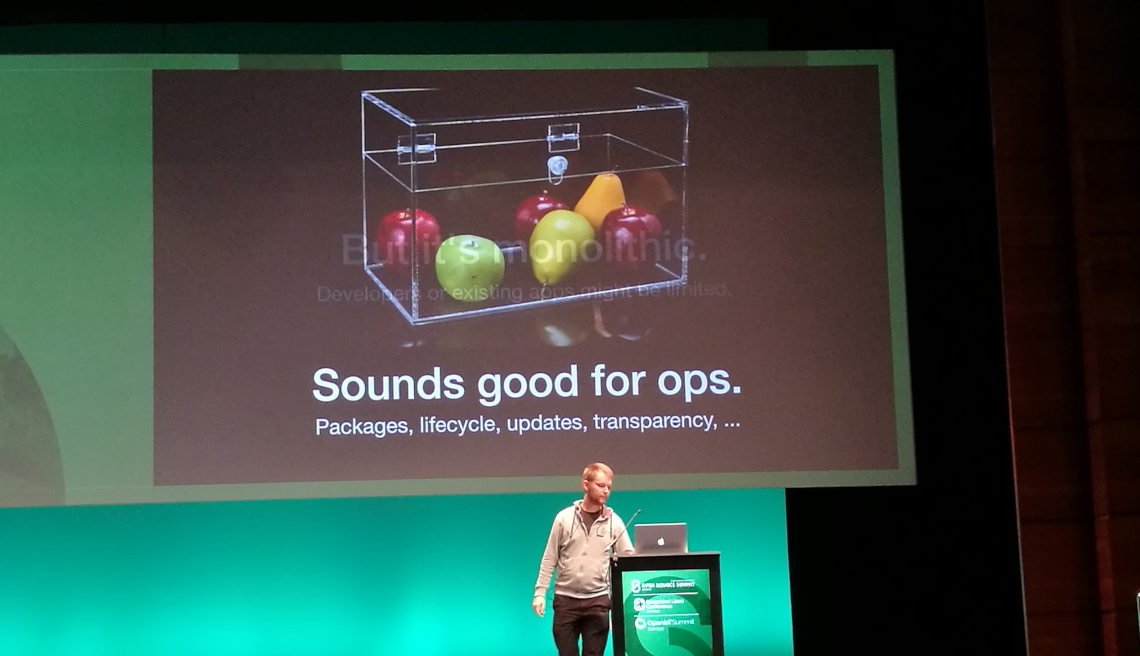
Lifecycles, Versions, and System Administration, Oh My! — Adam Samalik (Red Hat)
Packaging makes software integrated, tested, updated and easily installable.
Linux distributions pick versions of packages and put them in the same
lifecycle.
Containers are great, but they are not the solution for this problem. Fedora
Modularity tries to provide a
solution. Its core concepts are:
Packages: the core building blocks of Linux distributions
Modules: logical groups of packages on independent lifecycles
Defaults: you can use a specific version only when you want to
Updates: respect your choice and won’t automatically upgrade to a different stream.
The true benefits of containers are that you can run them (almost) anywhere and
build and test the images upfront. With apps in containers, the OS can be
immutable (see CoreOS,
Silverblue).
Introducing OpenFaaS Cloud, a Developer-Friendly CI/CD Pipeline for Serverless — Alex Ellis (OpenFaaS project / VMware)
OpenFaaS, functions as a service; serverless on
your terms. Used by dozens of companies.
Serverless is an architectural pattern. How do you arrange your compute and how
do you use it?
Functions:
are short lived
have a single purpose
have no state
These properties allow them to auto-scale.
Core values of OpenFaaS:
Focus on developers first
Operator friendly; simple as possible to get it up and running, no magic
inside
Don’t just use a tool and let it define your work. Define a goal, determine how
to achieve the goal and pick the tools that match what you actually need so they
work for you.
Make use of automation, as much as you can.
You can use a number of workflows:
SCM polling: check if there is a commit and then start the build.
Web hook: the SCM server hook triggers the build.
External trigger: calling a URL which triggers the build.
Ticket based workflow: updating a ticket triggers a new build.
]]><![CDATA[Change of editor]]>https://markvanlent.dev/2018/08/14/change-of-editor/2021-10-26T18:57:58Z2018-08-14T00:00:00ZAs I mentioned last
month,
I enjoyed working with Visual Studio Code when I used it to create my
devopsdays notes. I even started using it for my day-to-day work four weeks
ago. And I still like it!
I wanted to write a short article about this change, but then I read the
articles by Chris Coyier
and Lucas Oliveira
about their switch. They (also) described what editors they have used before
VS Code and I thought it would be fun to do a similar article about my ‘path to
VS Code,’ so to speak.
Early years
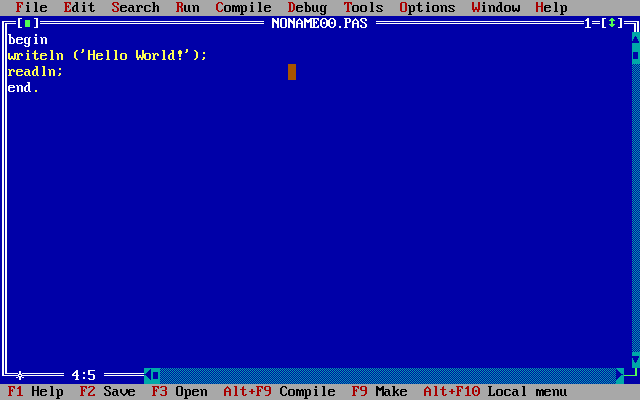
The first coding environments I can remember using, are the IDEs that came with
QBasic and
Turbo Pascal. And yes, I realise I am
showing my age by confessing this. ;-)
When I went to university I came in contact with Linux for the first time. My
first emails were sent with the Pine email
client and as a result I
also used Pico to edit
files. When I was working on a Windows system, my preferred editor was
Notepad++.
Once I really started doing more things on the (Linux) command line, I switched
to Vim. Over the years I invested time in configuring
it the way I liked it and put my vimrc file on my website. Thanks to the
Wayback Machine you can still retrieve the 2003
version of
it.
(Apparently by then I had switched to Mutt for my
emails and was using a versioning system—I think it was
CVS.)
Co-worker influence
Fast forward a couple of years to 2007 when I started working as a developer at
Zest. I was still using Vim as my editor when I was
pair programming with a co-worker and saw him debugging some Python code with
Emacs. He was running the debugger in one
window and was shown the code (with the active line highlighted) in the other
window. Once I had seen this I wanted to switch to Emacs! The fact that
a couple of other co-workers were also using Emacs helped a bunch. There were
enough people to help me make the switch and figure out configuration issues
when I ran into them. This must have been somewhere in 2007 or 2008.
In the years that followed I kept using Emacs. I did try other editors/IDEs
(like TextMate, Sublime
Text and
PyCharm) usually because I saw co-workers
using and recommending them. But sooner or later I always came back to Emacs. I
think it is safe to say I have effectively been using Emacs for the past ten
years.
A new era: VS Code
I was reconsidering my use of Emacs for a while because I was jealous of a
co-worker whenever I saw him navigate through our code base with PyCharm.
Opening files and going to the definition of classes (with CTRL+click) was
way easier than in my setup. I was even considering to give PyCharm another
shot when I heard good things about Visual Studio
Code.
Colleagues can actually use my editor if needed. (No more explaining they need
to use CTRL+XCTRL+S to save for instance.)
To give VS Code a fair chance, I decided to use it full time for at least a
week. To make sure I did not cheat, I switched over completely: I updated my
settings (e.g. the EDITOR environment variable and aliases) to use VS Code
instead of Emacs. And I haven’t looked back since.
Sure, there are some things that I probably want to add, improve or
change on my current setup, but in general the experience has been
great.
Some of the things I like and have not yet mentioned:
It is really easy to use in presentations/demonstrations. Without having to
look up key bindings I can easily enlarge the font size (CTRL+=, just like
e.g. in a browser) or change the theme to a light version (black on white) for
better legibility.
So far I have been able to find extensions for all the types of files I want
to edit, like Ansible, Terraform or Vagrant files.
VS Code has global and workspace setting. I have not used it extensively, but
I can see its use and will probably customize settings for certain projects in
the future.
Things that I do not like as much:
In contrast to Emacs I cannot use VS Code on the command line. This means I
still have to have working knowledge of another editor to edit files on
other machines. (To be fair: most servers do not have Emacs installed anyway
so in practice I already had to use another editor (Vim) in most cases.)
My current laptop does not have separate Home and End keys. This was no
issue with Emacs because I used CTRL+A and CTRL+E to navigate to the
beginning and ending of lines. But since I
want to keep the key bindings in VS Code as default as possible, I will have
to learn to use FN+← and FN+→ or disable Num Lock and use the 1 and
7 on the keypad.
The experiment with VS Code has been a success. I have made the switch and have
no intention of returning to Emacs. VS Code has the ingredients I was looking
for and then some.
Does this mean that I will use VS Code for the next decade? Only time will
tell…
]]><![CDATA[Devopsdays Amsterdam 2018: day two]]>https://markvanlent.dev/2018/06/29/devopsdays-amsterdam-2018-day-two/2021-10-26T18:57:58Z2018-06-29T00:00:00ZThe second, and last, day of talks of devopsdays in Amsterdam this year.
Note: these are my notes. They are not necessarily representative summaries of the talks.
Monitoring the dynamic nature of cloud computing — Lee Atchison (New Relic)
It is the busiest day of the year for your company, can you scale en keep your
application running and, with it, keep your customers happy?
Many of us don’t have enough visibility into our application to know what is
going on. Availability issues can be subtle. If 1% of your transactions is
slow, some of your customers will not be happy. But on average the application
is still fast enough. So you won’t see the problem if you look from the outside
in. You need more information from all components and not just averages.
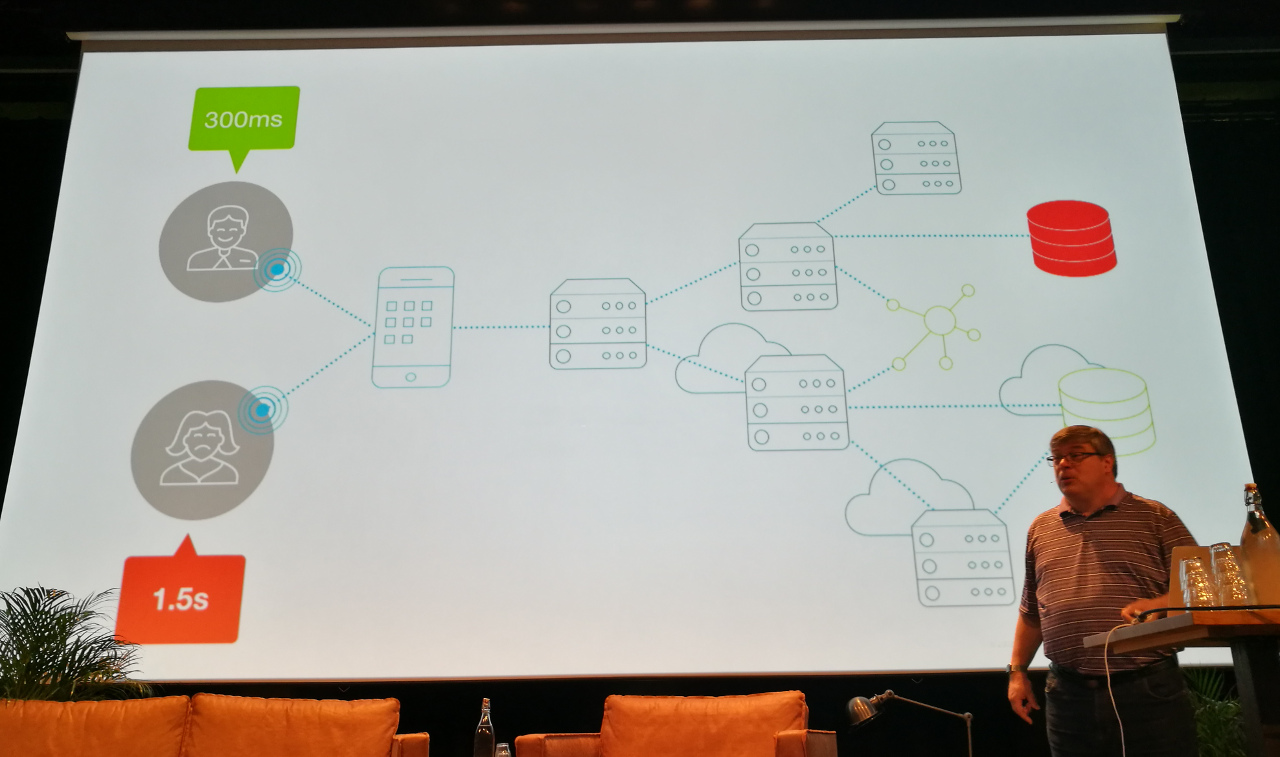
A properly monitored application generates lots of data. It might dwarf the actual
business data.
What to collect metrics on:
Business outcomes
User experience
Application
Infrastructure
You need to know how your app is performing, what the customer experience is and
what the business outcome is. The problem is that it is not just a static world
with your own data centers anymore. In a modern world your applications and
resources are more dynamic. The way you did things in the past, will not work in
the future.
Long running containers do exist but are a minority. In a survey by New Relic
(performed about three years ago) the average container life was about 200 days.
But most containers (11% of all containers in the survey) lived less than one
minute! Things you monitored 10 minutes ago, don’t exist anymore now.
So how do you track what the dynamic cloud is doing for (or to) you? The
dynamic cloud has unique monitoring requirements.
A dynamic cloud application:
Allocates resources on demand
Resizes resources on demand
Has an automated provisioning process
Still has services to monitor
Still has servers to monitor
Still has infrastructure
Still has user interfaces
You need to monitor the components themselves (how are the resources working)
and the lifecycle of the components (which resources were used).
Monitoring dynamic applications means you have to monitor:
What was running, and when
Provisioning process
Static usage
In the past, when the rate of change was low, you could get away with monitoring
the server. A change meant a problem. Today, change is the normal operation.
More important than “picking the tool to use” is understanding what you have to
monitor, what your application architecture is like, etc.
In most unexpected incidents (in properly instrumented systems) data was
collected, and it helped investigating the issue afterwards. The issue was that
people were not looking at the right data to avoid the incident. It is hard to
collect too much data.
About retention times: two weeks, three months and one year are the most common
retention times. But this differs per type of metric. For example, you might
want to keep your business metrics for a year but other metrics only for two
weeks.
Chaos while deploying AI and making sure it doesn’t hurt your app — Thiago de Faria (LINKIT)
Definitions Thiago uses:
AI
Make computers capable of doing things that, when done by a human, would be
thought to require intelligence.
ML
Make machines find patterns without explicitly programming them to do so.
To properly use AI/ML you need a data scientist. This person probably does not
have a connection with dev or ops and works in a different department. The
scientist might collect data from a data warehouse, put it in a CSV and work
on their laptop. They build a golden data set.
After a while, they have a model that is, say, 90% accurate. They show it to the
CEO, which is happy with the data scientist. Then they go to the ops team and
say “deploy this.” And “this” might be a Jupyter notebook. How do you deploy
something like that?
Dev has to convert the model into something that can be deployed. Ops will have
to figure out how to run and monitor it, etc. But these teams were not involved
in the process of creating the model. And building that golden data set, that
was used by the model, might take too long to generate real time.
You also have to tweak the model over time to keep the it accurate. The data
scientist needs to be part of the team to maintain the model.
Data scientists have a different way of working. A couple of months of work
sometimes results in only one or two commits. What the scientist tried and
experimented with to get to these commits gets lost. This can lead to a lot of
rework if another scientist continues to work on the model. (“Oh let’s try
<idea that the original data scientist already tried here>.”)
ML and data science should be part of the building pipeline. This requires a
culture change. Apply regular software engineering practices to data science.
Databricks
recently
released mlflow which you can use to track experiments:
what have you tried, what worked and what not, which commit was it, etc.
That product team really brought that room together — Harold “Waldo” Grunenwald (Datadog)
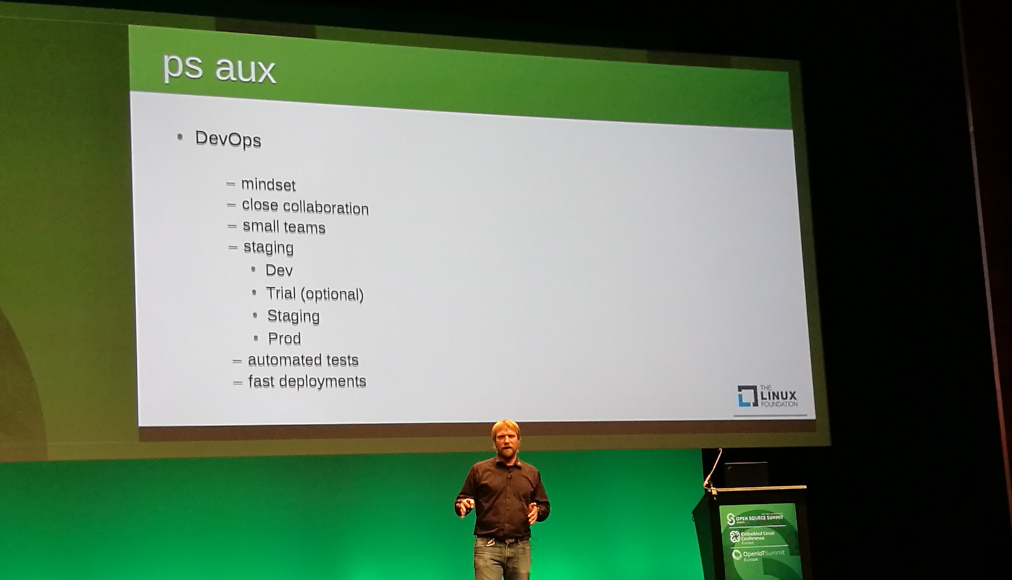
DevOps is a concept, a philosophy. “DevOps” doesn’t do work, people do.
Writing code is not the end goal. The business needs an application that fulfils
a business goal. If you treat development as a project and operations as a
service, who cleans up the mess?
You need a product team: a self-contained, long lived team, which includes
development, operations and maintenance. Not “everybody can do everything” but
“everyone can figure out everything”.
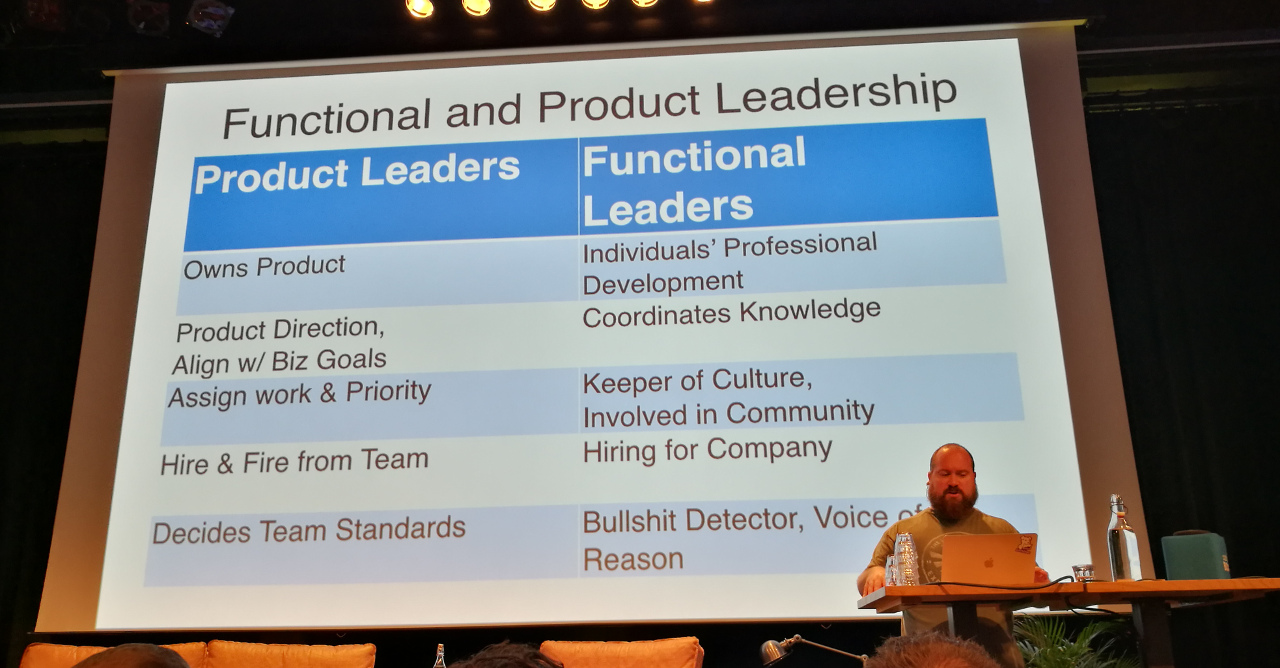
Product leaders (product owners) own the product and decide on the team. You
still need functional leaders for the company though. All work comes from the
product owner. Functional leaders help with individual growth.
Team size: depends on the roles you need. Perhaps you do not have dedicated
roles, but people that have affinity for certain tasks.
The team won’t be “done” as long as the application is still in use. You need to
create updates, maintain it, etc. The team can take in new work though.
I was too busy listening which meant that I did not take enough notes. My
advise it to watch the video of the talk.
Have your cake and eat it too — Karen Cohen (Wix)
This talk is about how to make huge changes in your systems. For example:
breaking a monolith and breaking it up into microservices—this kind of scale.
At a certain moment (about 4 years ago), her team got their golden ticket and
was allowed to take a few months to rebuild the product. However, during the
rebuild phase the team lost contact with the business and the customers. They
needed a better approach.
To tackle their problems, they first came with a vision:
Define roles and responsibilities for their system
Internal domain modelling
Terminology
They also communicated their vision with managers but also clients.
They discovered “everyday decision making.”
Co-evolution: the tech evolves as result of new feature requests. The product
changes as a result of tech changes.
You have succeeded if other people, outside of your team, suggests something
that aligns with your vision.
Summary for making big changes:
Have a vision
Communication it to everyone
Why tooling (only) isn’t the answer — Arnold van Wijnbergen (Devoteam)
Problems with tools:
Missing features
Missing integrations
Missing alignment
The organization has an important role in the toolchain strategy.
Conway’s law comes into play
here.
There are a lot of tool vendors. You have to pick tools to support both the
business and product teams.
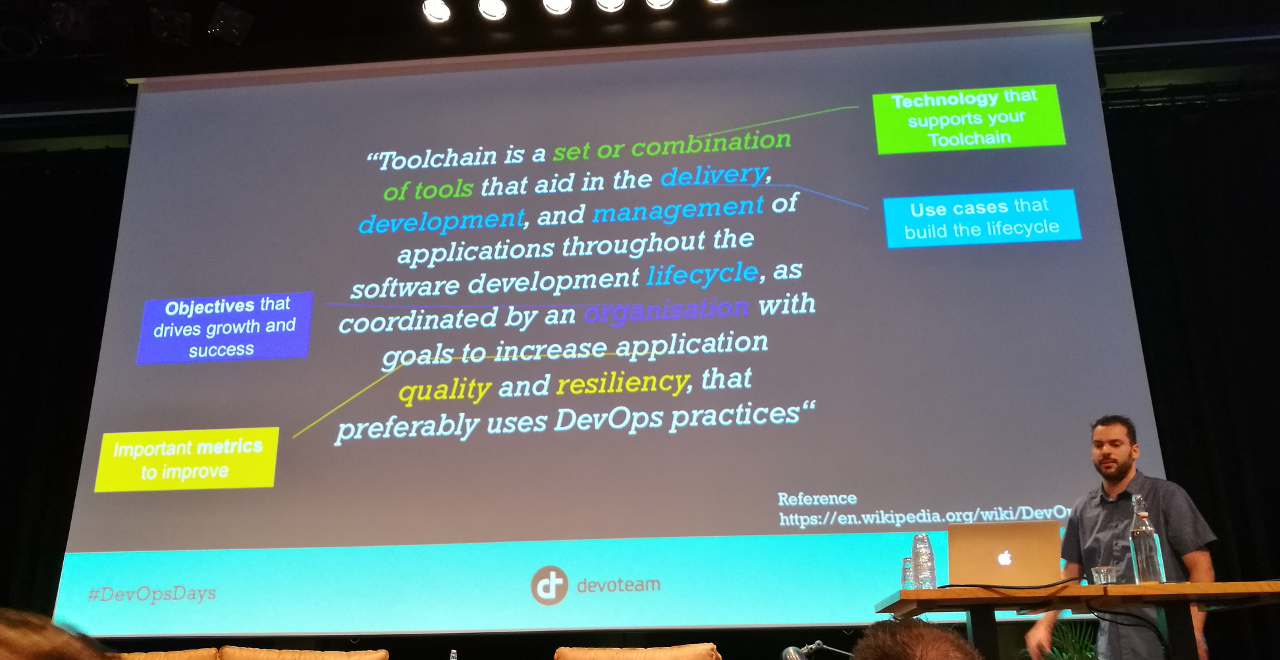
What is an integrated toolchain? Arnold uses the
DevOps toolchain definition from Wikipedia:
A toolchain is a set or combination of tools that aid in the delivery, development, and
management of applications throughout the software development lifecycle, as
coordinated by an organization that uses DevOps practices.
Points of attention when defining your tooling strategy:
Provide an open eco system, use a modular approach.
Make it easy to consume by providing an API.
Evolve by learning and adoption.
Offer support and education.
A fool with a tool is still a fool
—Grady Booch
Integrations are important to optimize the feedback loops. This generates a lot
of data. Don’t waste it, but share and learn from it.
Some common pitfalls:
Technology push from ivory tower, no input from key users.
Tools that don’t match with what is needed and thus remain unused.
Tools that are handled like a black box, that is without proper integrations.
Closed ecosystems.
Your tooling strategy can be an accelerator for your whole enterprise. Talk to
other teams and learn from them. Tooling is meant to unburden the product teams.
Ideally the tools are self-supportable (for instance via documentation). Don’t
forget to collect metrics to improve support and quality.